Every model,
in one chat.
Start with Claude, ask Grok for a second opinion, switch back whenever you like. Each one reads the chat so far and carries on. Codex is coming soon.
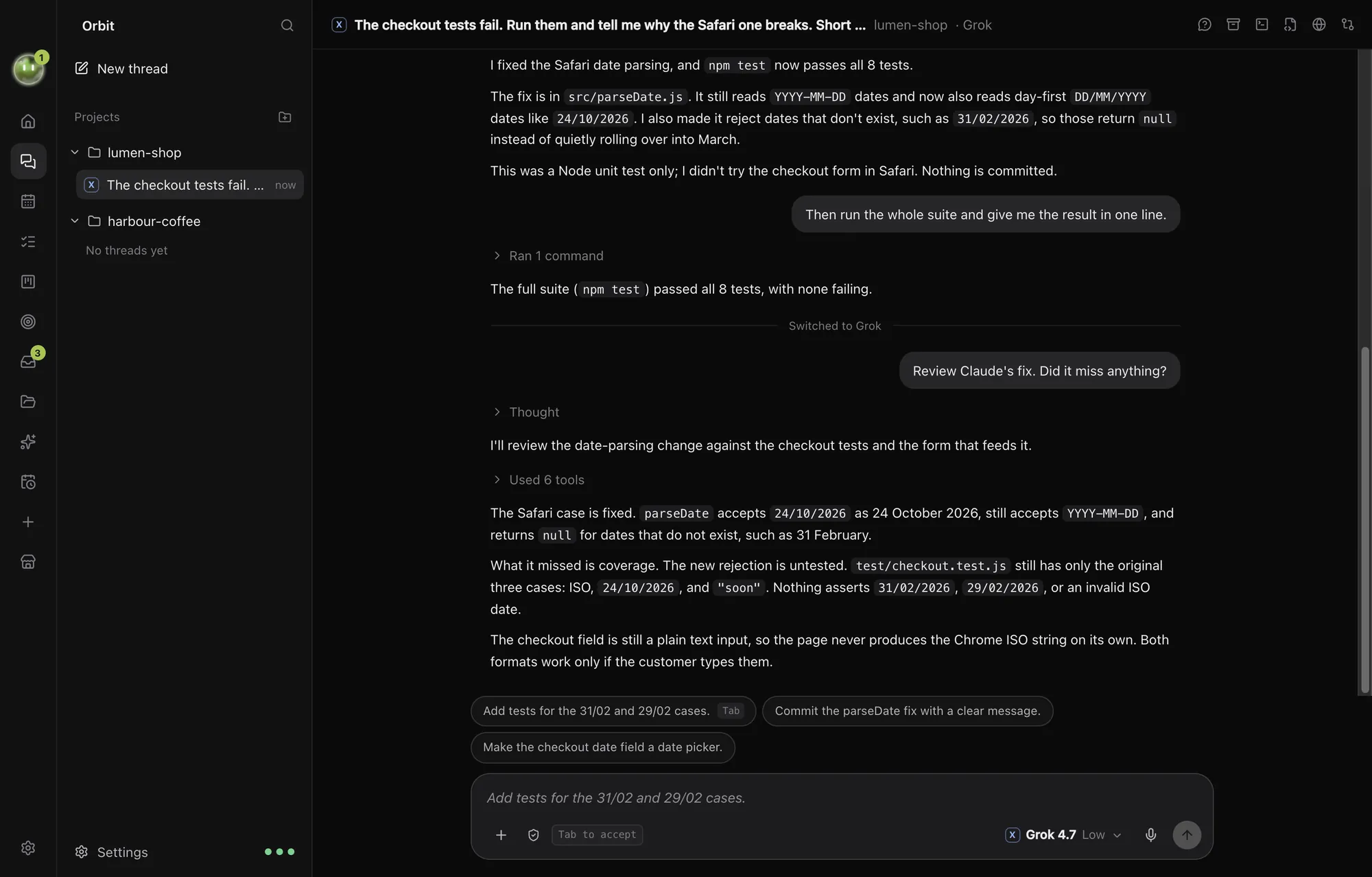
Pick any model, any time.
Every model on your Claude and SuperGrok plans sits in one picker. Choose the model and how hard it thinks, chat by chat.
- Claude Code on your Claude plan
- Grok on your SuperGrok plan
- Codex on your ChatGPT plan, coming soon
- Official engines, unmodified, running on your computer
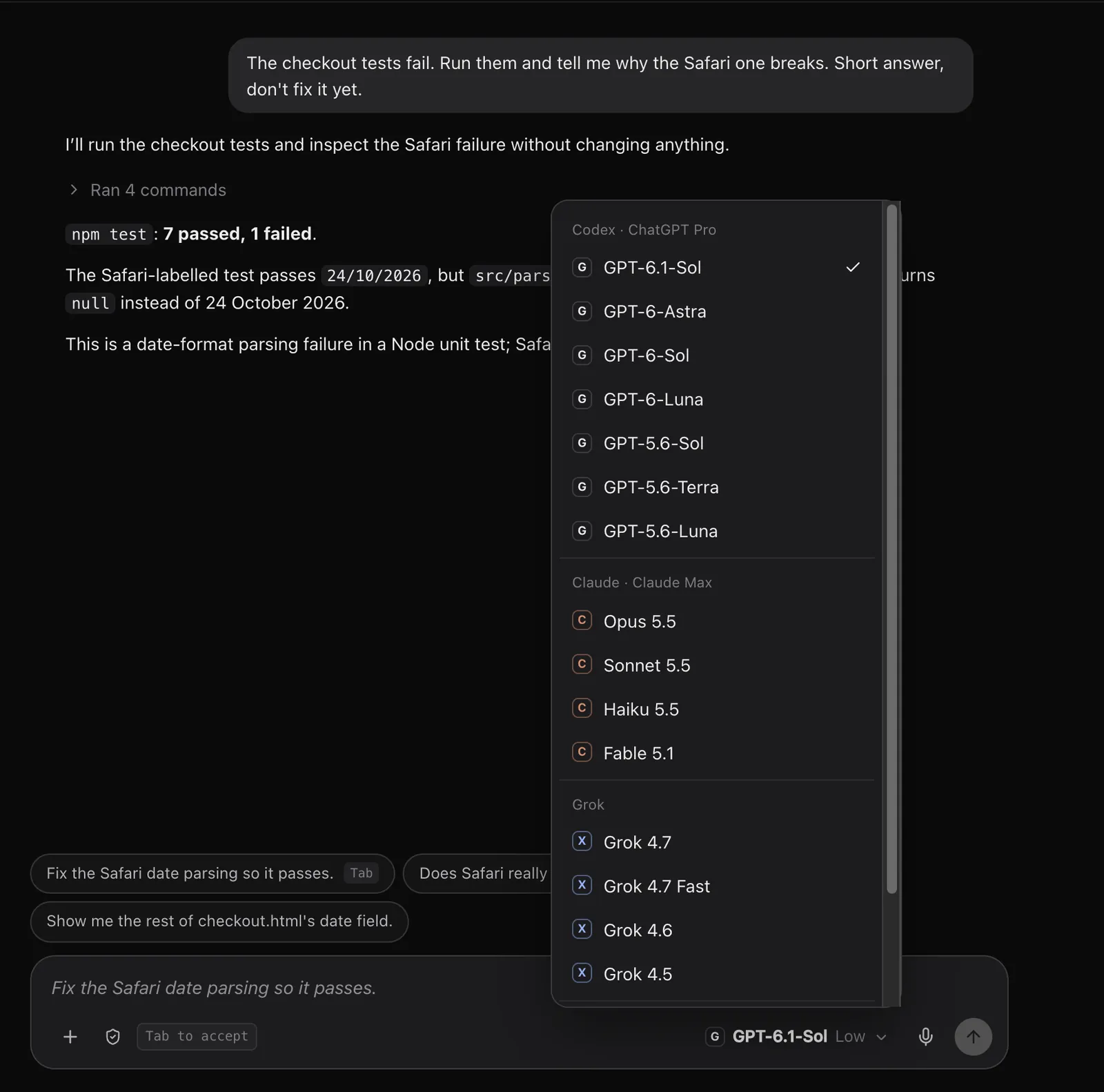
Codex is coming soon.
Codex already runs in Orbit, on your own ChatGPT plan. OpenAI's approval comes first: Orbit has applied to its partner programme for signing in with ChatGPT, and Codex switches on for everyone once that's approved.
Here it is in testing. Codex updates a café menu, then Grok picks up the same chat and writes the caption.
Keep going while it works.
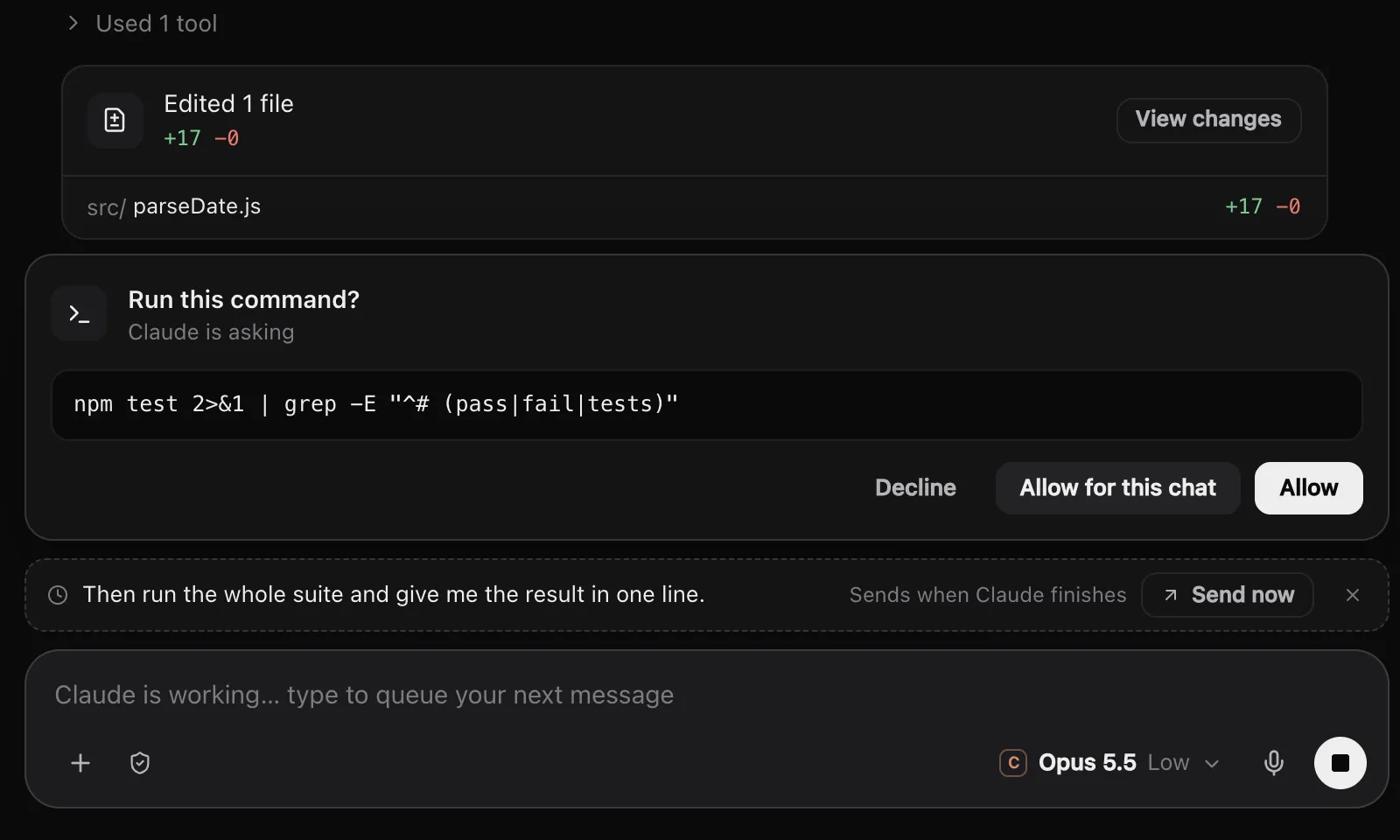
Type your next message while the model is busy. It waits in the queue and sends itself when the reply finishes. Send now to cut in, Esc to stop.
When a model wants to run a command, you decide: once, for this chat, or not at all.
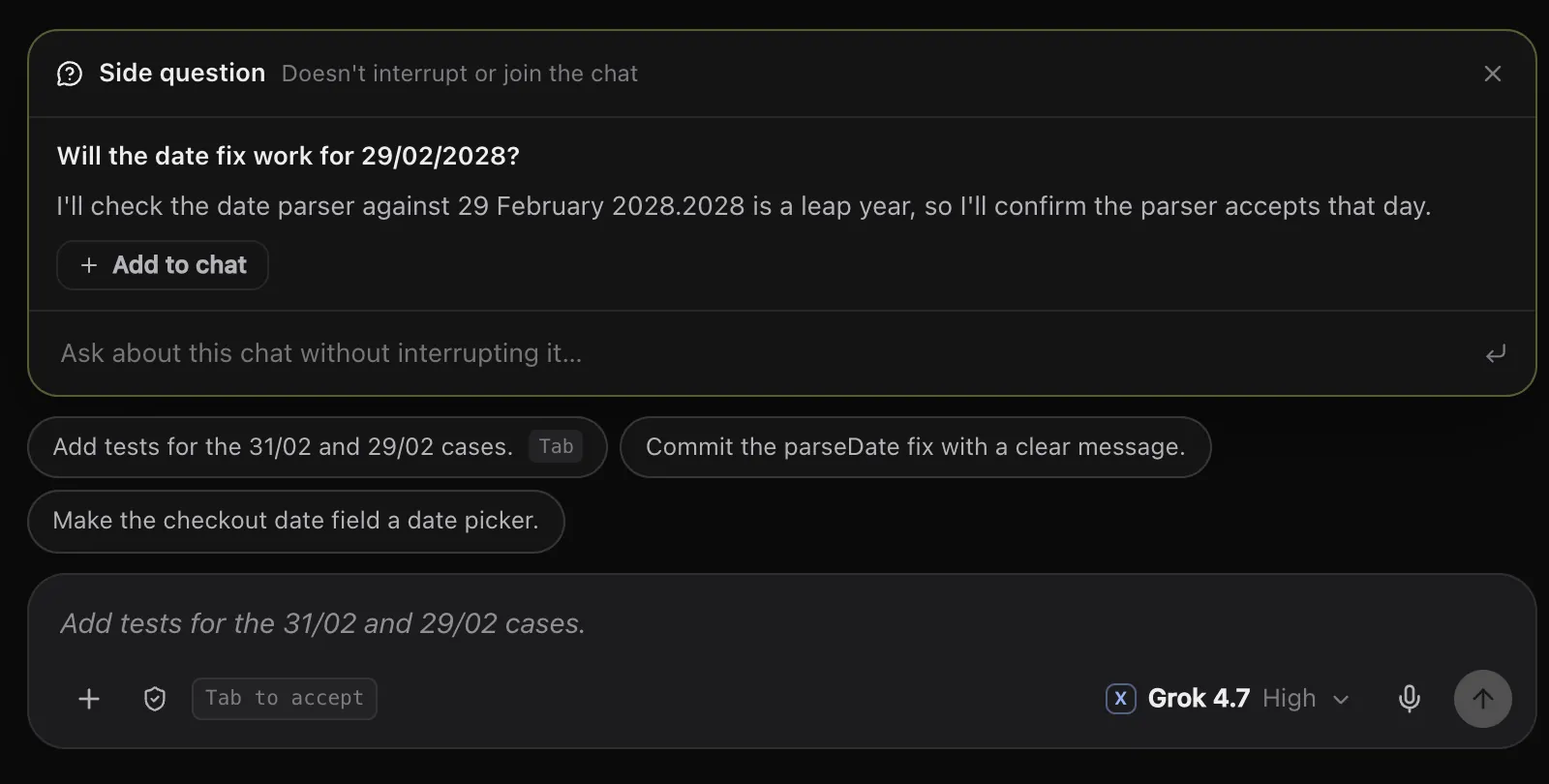
Ask on the side.
Side questions get a quick answer without interrupting the chat or joining it. Add the answer to the chat if it's useful.
When a reply lands, Orbit suggests what you might send next. Tab takes it.
See what's left on each plan.
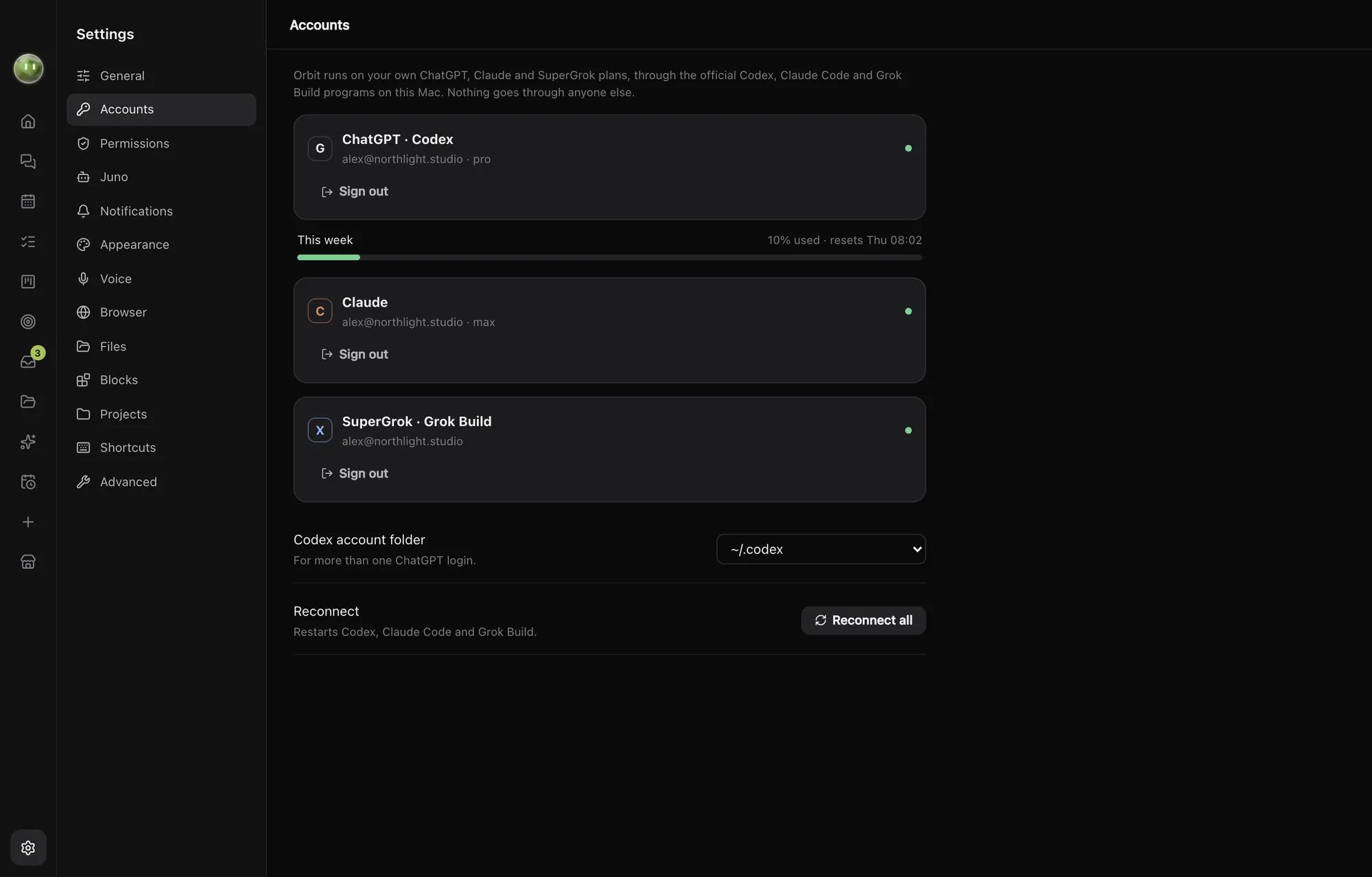
Orbit shows how much of each plan you've used this week, so you know when to hand the next job to another model.
You sign in with each company's own app. Orbit never sees your passwords.
Every AI you use, in one orbit.
$29 a month, locked in for life when you join at launch. On the AI plans you already pay for.