The browser,
built for Orbs.
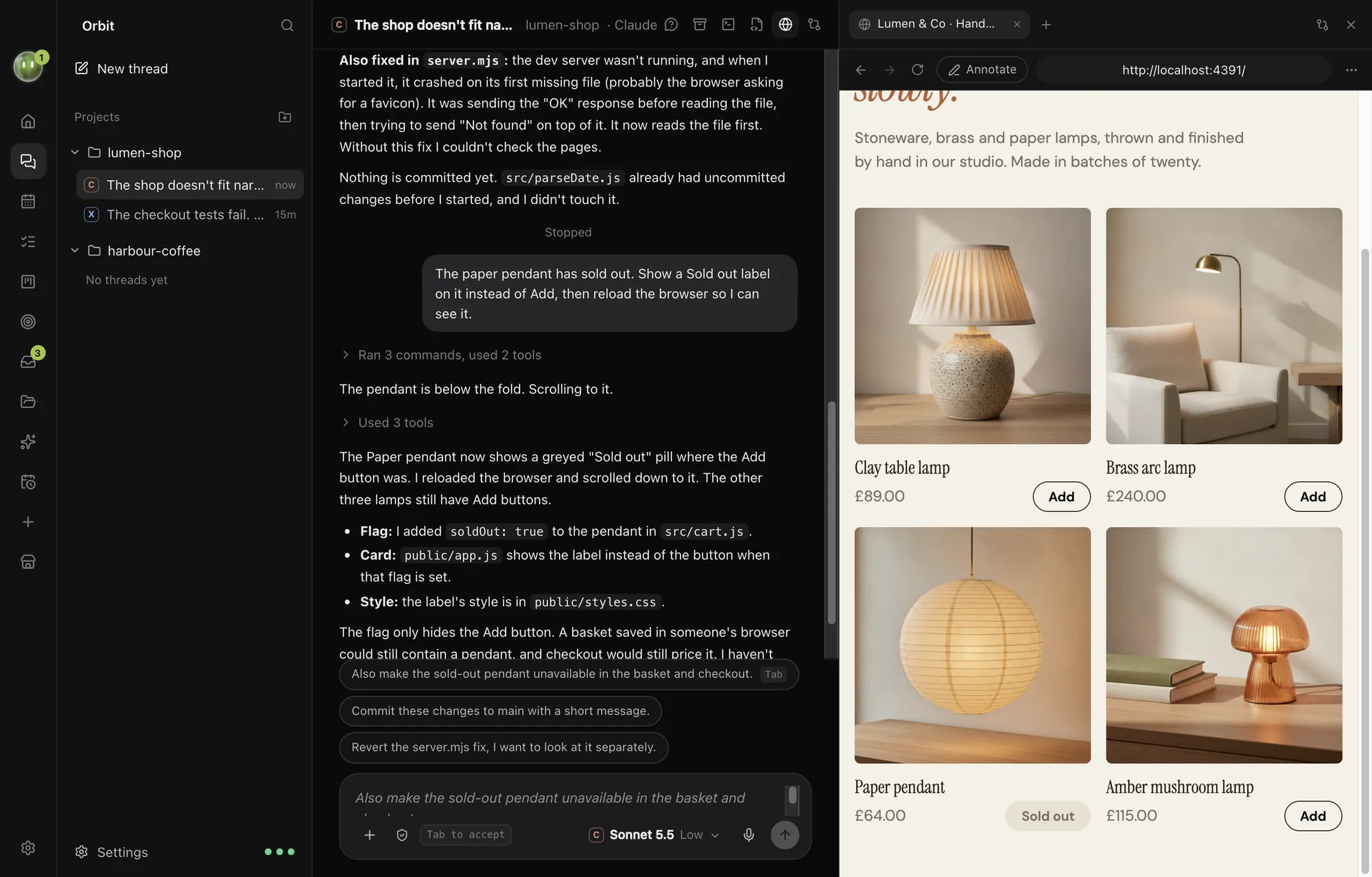
A real Chromium browser inside Orbit, shared by every chat. Your Orbs read pages, click, type and check their own work while you watch. You get a proper browser too, so Chrome can stay closed.
Orbs drive it. You watch.
Your Orbs open pages, read them, click, type, pick from menus, scroll and take screenshots. They see the console too, so they catch the errors you'd miss.
- Tabs of their own. Each Orb uses its own tabs and never takes over the one you're on.
- You can always take a tab back: go somewhere in it yourself and it's yours.
- Sign-ins, payments and "prove you're human" are handed to you. The Orb waits until you press Done.
- Sites Orbs never open: keep a list in Settings and they stay away.
It keeps going when you look away.
Close the browser pane, switch to another chat or another app. An Orb's tabs keep loading, clicking and rendering at full size in the background, so long runs finish.
- A crashed page reloads itself where it was, with its history.
- Tabs come back after a restart, and ⌘⇧T reopens the last one you closed.
- Sign-ins and cookies stay across restarts, shared by every chat.
Check any page in one ask.
Built-in tools your Orbs use on any page, including ones behind your sign-in.
Renders both and finds sideways overflow, broken images, failed requests, low-contrast text, tiny tap targets and console errors.
Lighthouse scores and Core Web Vitals, real-visitor data where Google has it, and a load measured on your computer. Mobile and desktop.
Titles, descriptions, headings, canonical, robots, sitemap, hreflang, social tags, structured data and missing alt text.
The real CSS of any element, including how it changes on hover.
Turn a site into its colours, fonts, logos and button styles, or collect every image on a page at full size.
Full-page or single-element screenshots at phone, tablet, laptop or desktop sizes, several at once.
Every device, one click.
Show any tab as a phone, a tablet or a fixed desktop width, upright or on its side. Orbs use the same device views to check their layouts before they say they're done.
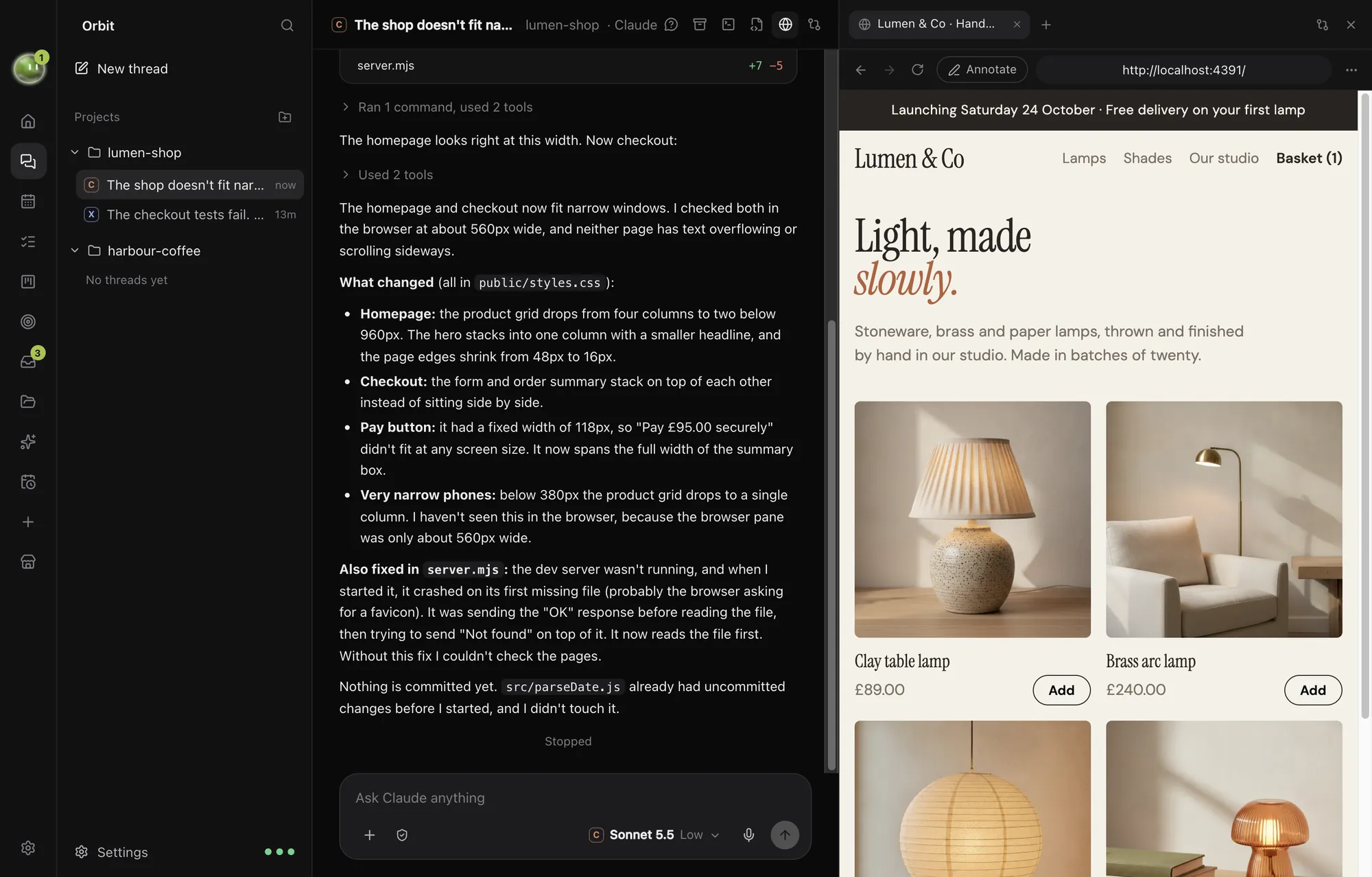
Point at it. Record it.
Annotate: click parts of a page, leave numbered notes and send the marked-up screenshot to the chat. Faster than describing it.
Record: your Orbs can record a page to a GIF or MP4 while they work, or record a page loading and scrolling, to show someone what changed.
Secrets your models never see.
Put API keys, tokens and logins in Orbit's secret box. A model asks for one by name; Orbit shows you where it's going, and fills the field or runs the command itself once you say yes.
The model gets the result, never the value.
- Password manager that saves sign-ins, fills them and makes strong passwords.
- Password and card fields are handed to you, never typed by an Orb.
- Saved addresses for forms.
- Sites can't get your camera, microphone or location on an Orb's say-so. Only you can allow them.
- Passkeys with Touch ID coming soon
And a proper browser for you.
Tabs
- Tabs per chat, with your logins shared by all.
- Tab groups with names and colours, and pinned tabs.
- Reopen closed tabs with their history.
- Profiles, each with its own cookies and sign-ins.
Everyday
- Bookmarks and history, imported from Chrome.
- Downloads you can pause, resume and retry.
- Find, zoom remembered per site, print and save as PDF.
- Address bar with suggestions and search.
For builders
- Developer tools and the page's console.
- Local servers straight from the address bar.
- Clear site data in two clicks.
- Chrome extensions, loaded from a folder or from Chrome, with some limits.
And in your own Chrome.
Orbit for Chrome lets your Orbs work in the tabs you share, signed in as you. Passwords, card details and payments stay yours, and the side panel keeps your Moon and your chats beside the page.
No more app switching.
7 days free, then $29 a month at the founding price, locked for life. On the AI plans you already pay for.