Use cases
Orbit for freelancers
Freelancing is two jobs: doing the work, and running the business around it. Here's one day in Orbit for Alex Rowe, the made-up freelance developer in our demo workspace, showing how both fit in one window.
Orbit keeps a freelancer's clients, leads, inbox, calendar and AI chats together, with a Moon that checks in, drafts replies for you to approve and reminds you of follow-ups, while Orbs do the build work on your own Claude, Grok or Codex plan.
8:30: the front page is already written
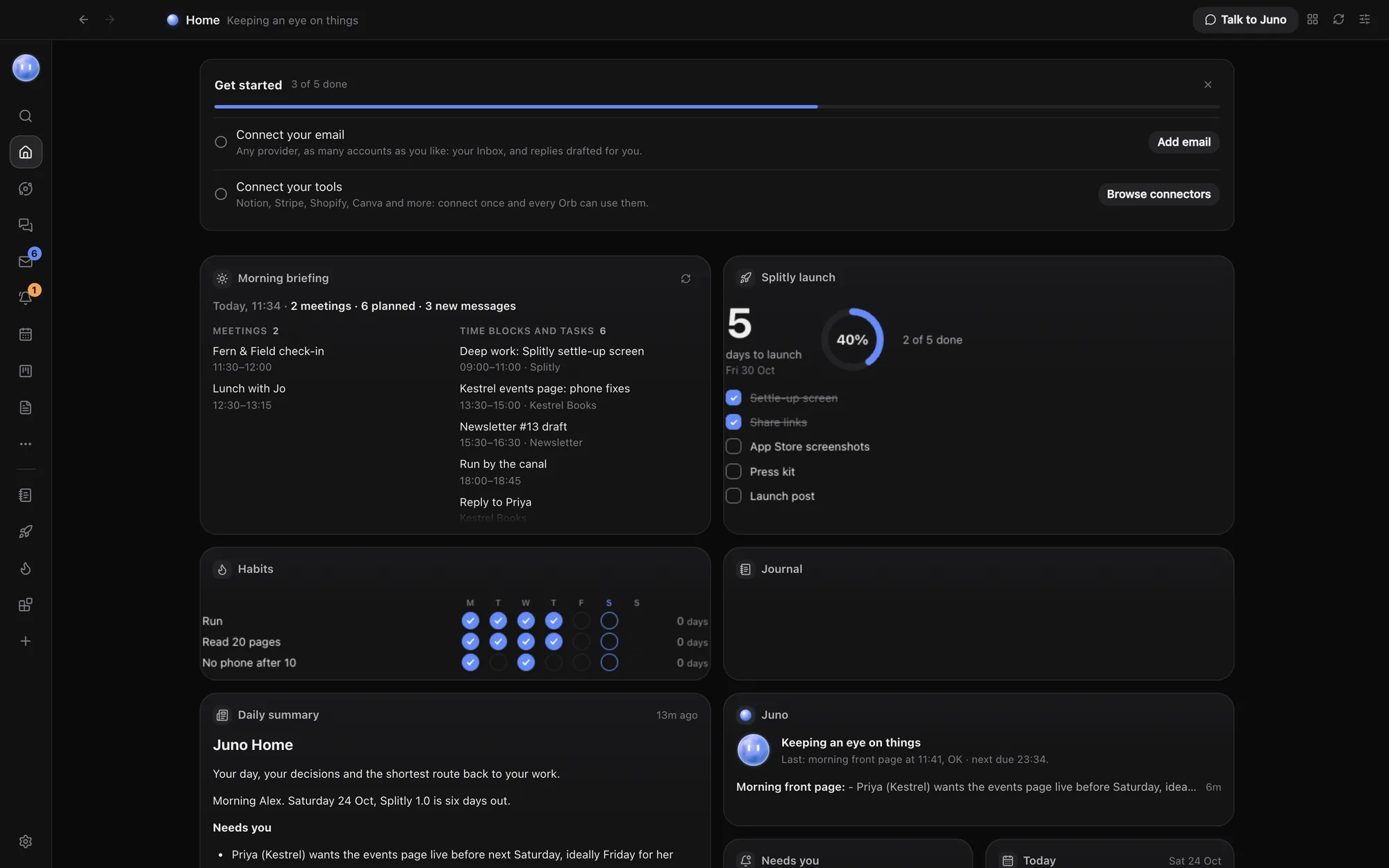
Alex has a scheduled job for the Moon, called Juno in our demo: on weekdays at 8:30, write today's front page. When Alex opens Orbit, Home shows what needs a reply, today's calendar, what each chat is doing, and the three things that matter most. A morning briefing lists the day's meetings, tasks and what's waiting.
Juno's morning check-in has already done two things: flagged Priya at Kestrel Books, who wants the events page live by Friday, with a reply drafted; and noted that Ben at Marlow Tea confirmed tomorrow's call at 11. See Home and widgets, Briefings and Scheduled jobs and nudges.
8:40: replies, without starting from blank
The Inbox brings Alex's email and WhatsApp (through Beeper) into one list, with clients and leads first. Juno's draft to Priya is there, ready to check:
Hi Priya, yes, Friday works. The events page is built and I'm testing it on
phones today. I'll send you a preview link by 3pm tomorrow so you can check
the signing details before it goes live.
Alex tweaks one line and sends it from Orbit. Drafts never send themselves: that's one of the Moon's default rules, along with handing back publishing, payments and passwords. See Inbox and Drafts and replies.
9:00: deep work, handed to Orbs
The Planner has a block for the Kestrel Books phone fixes this afternoon, and Juno has already asked the Kestrel Books Orb to check the events page on phones. It made two layout fixes in its own browser tab and has a preview ready. Alex reviews the diff in the Changes pane and opens the live preview beside the chat.
Clients don't care which model did the work, but your plan's limits do. If Claude runs low, switch the chat to Grok or Codex and carry on: the new model reads everything said so far. See Switch models mid-chat.
11:00: the client call, written up
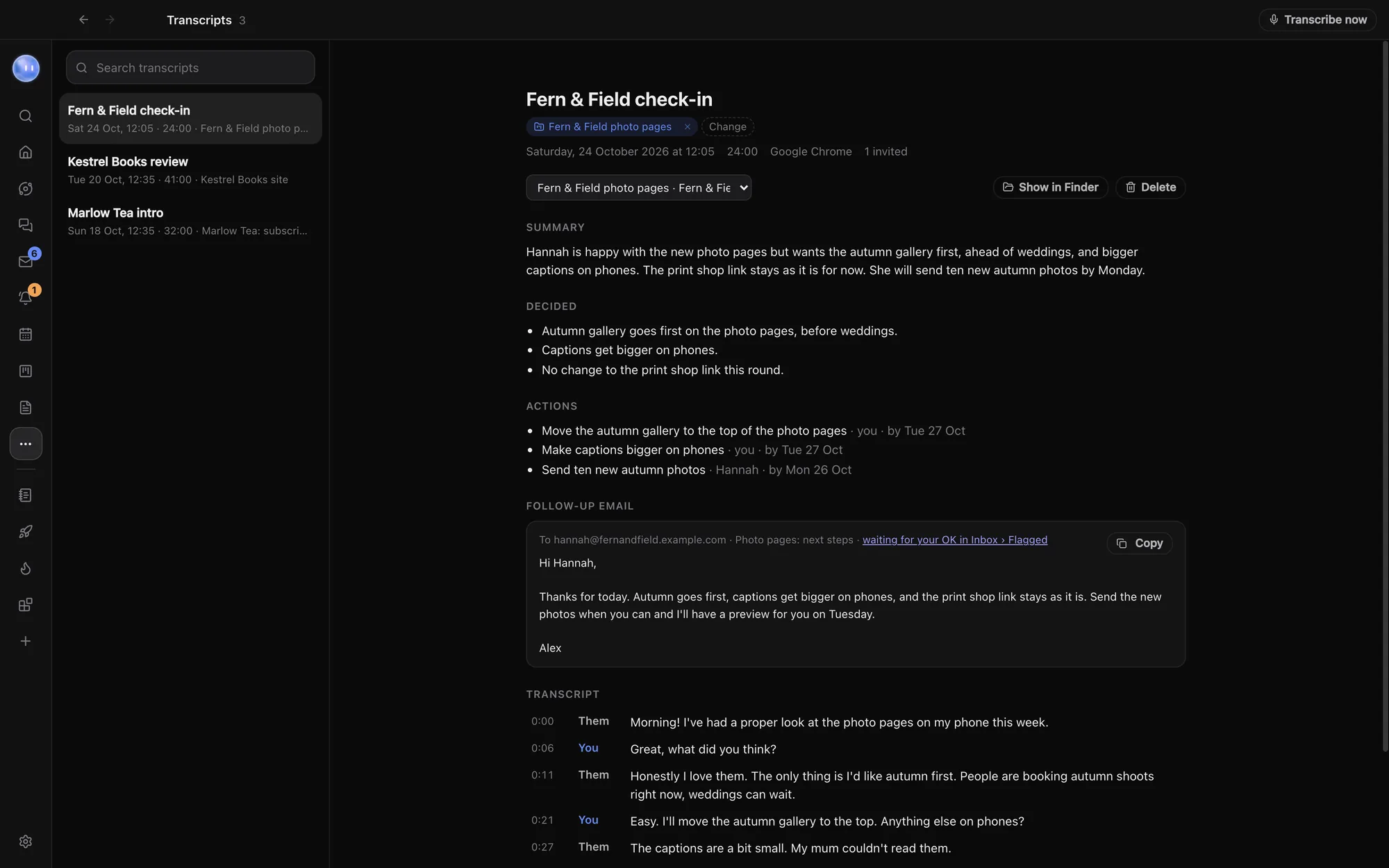
On a Mac or PC, Orbit can spot a Zoom, Meet or Teams call when it starts and ask first. Say yes and it transcribes the call, then writes it up: a summary, the actions and a draft follow-up, filed under the right project. For a new lead like Marlow Tea, that write-up becomes the start of the proposal. See Transcripts.
14:00: the pipeline, kept honest
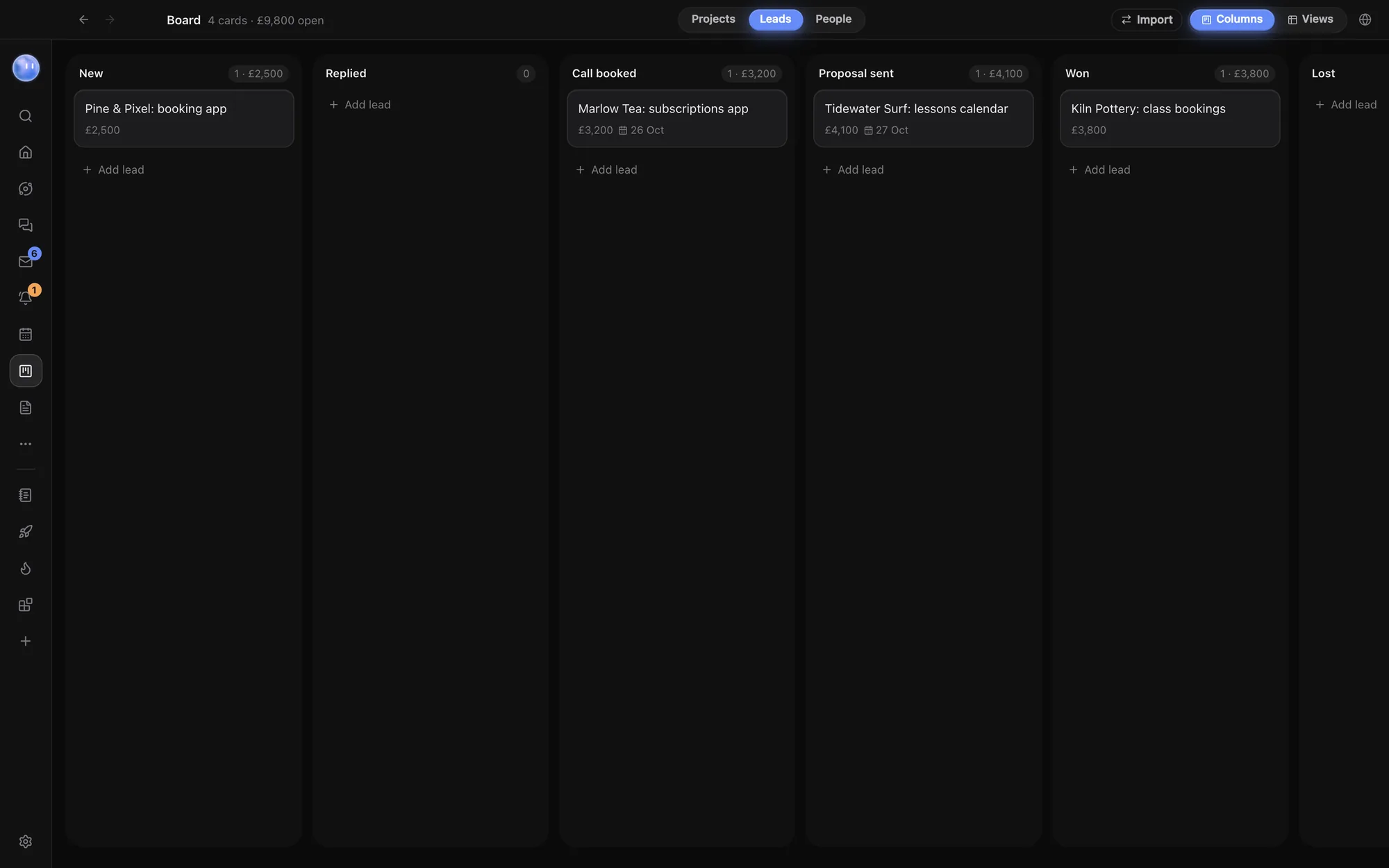
The Board's Leads view runs from new enquiry to won, with each lead's value, contact and next follow-up date. In the demo:
| Lead | Stage | Next |
|---|---|---|
| Marlow Tea: subscriptions app | Call booked | Follow up 23 October |
| Pine & Pixel: booking app | New | Reply to the referral |
| Tidewater Surf: lessons calendar | Proposal sent | Follow up 26 October |
| Kiln Pottery: class bookings | Won | Agree a start date |
The Moon reminds Alex when a follow-up is due. When Kiln Pottery says yes, it becomes a project with a folder, a lead Orb and a card. The People view keeps one record per person, with every email, message, call, task, project and invoice with them. See The Board: projects, leads and people.
16:30: admin, in the same place
"Invoice Northwind" is a task in Tasks, with a time so it lands on the Planner. Orbs add and tick off tasks as they work, so the list reflects what actually happened. If you use Stripe, you can connect it once and let Orbs look things up there; anything that changes something asks first. See Tasks and My Work and Connectors.
Evening: away from the desk
The evening briefing shows what got done and what slipped. Approvals that come in later reach the Android app, with Approve right on the notification, and Waiting on you holds every Orb's questions in one list. iPhone and iPad are in beta. The Journal, encrypted on your computer, has a morning and evening page if you want one. See Approve from your phone.
Why this suits freelancers
- No extra model bill. Orbit runs on the Claude or SuperGrok plan, or OpenAI key, you already have, and never charges for model usage.
- One subscription, everything in it. $29 a month (£29 / €29 locally) at the founding price after 7 days free, with no add-ons.
- Nothing goes out without you. Client emails, publishing and payments always come back to you.
- Your data stays on your computer. Chats, files and sign-ins live on your machine; Orbit's server knows your email and subscription. See security.
Common questions
Can Orbit send invoices or chase payments for me?
No. It can remind you, draft the chaser and keep track on the Board, but payments and sending are handed back to you.
Which email and calendars does it work with?
Email works with Gmail, iCloud, Yahoo, Fastmail, Zoho and others with an app password, and calendars from Google, Outlook, iCloud and booking tools can show in the Planner.
Do Transcripts work on Windows?
Yes, on Windows 10 and 11. Voice calls are Mac only for now.
I only use Claude. Is Orbit worth it?
If you mostly chat with Claude, Claude's own app may be enough. Orbit earns its place when you also want the inbox, planner, leads and a Moon working across all of it. See Orbit vs the Claude desktop app.
Try Orbit free for 7 days · Meet your Moon · Your day in Orbit
Updated 24 October 2026