Your Orbs,
in your pocket.
The phone app is a remote for Orbit on your computer. Read your chats live, send a message any time, approve what's waiting and check your day. Android now; iPhone and iPad in beta. Everything still runs on your computer, so leave it on with Orbit open.
Everything, from anywhere.
Your Orbs and your Moon, Home, the Planner, the Board, Inbox, Chat, Files and your blocks, with a floating dock on every screen and your Moon in the middle.
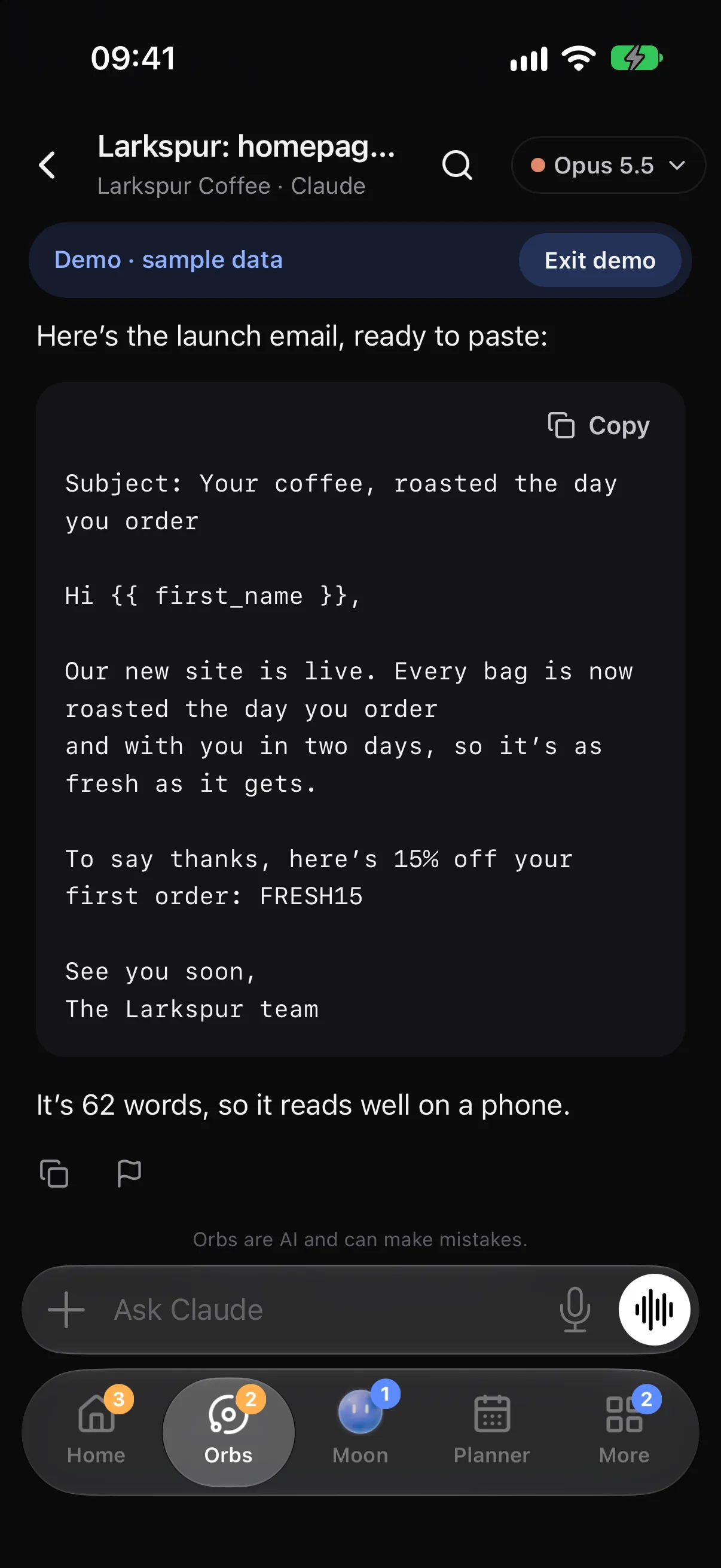
Message any Orb
Send any time, even while it works. Attach pictures and files, or dictate.
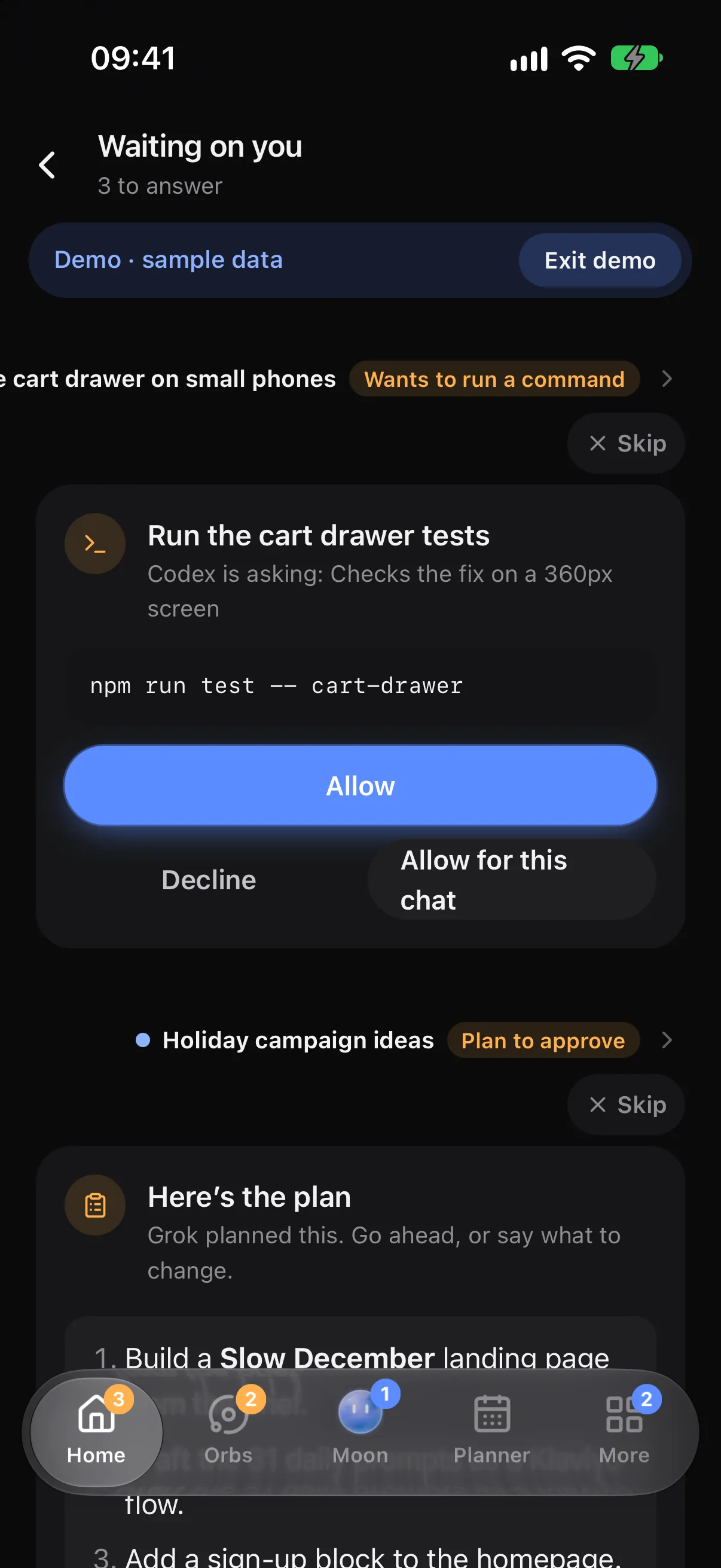
Approve on the go
Commands, plans, questions and draft replies, answered from the Waiting list.
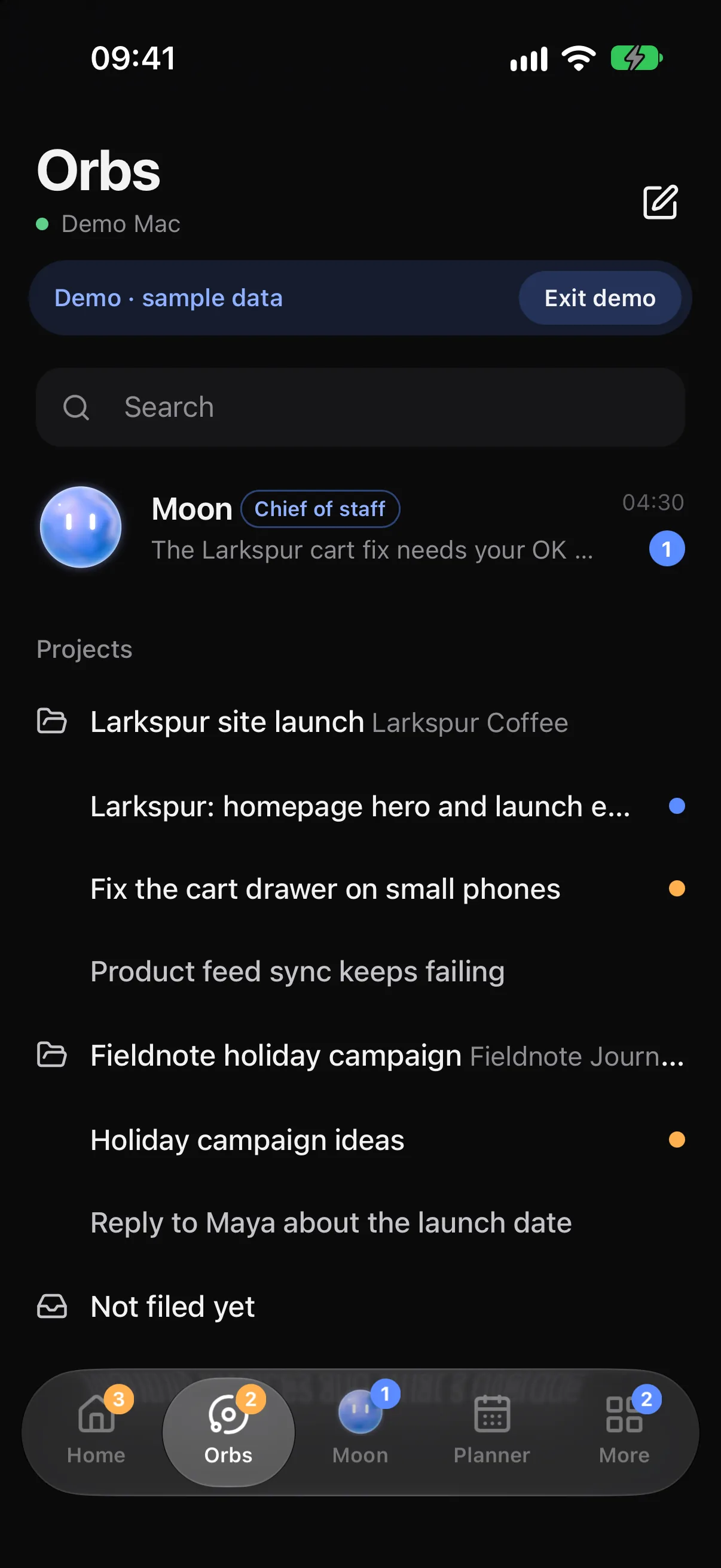
Pick your dock
Hold the dock to choose what sits either side of your Moon.
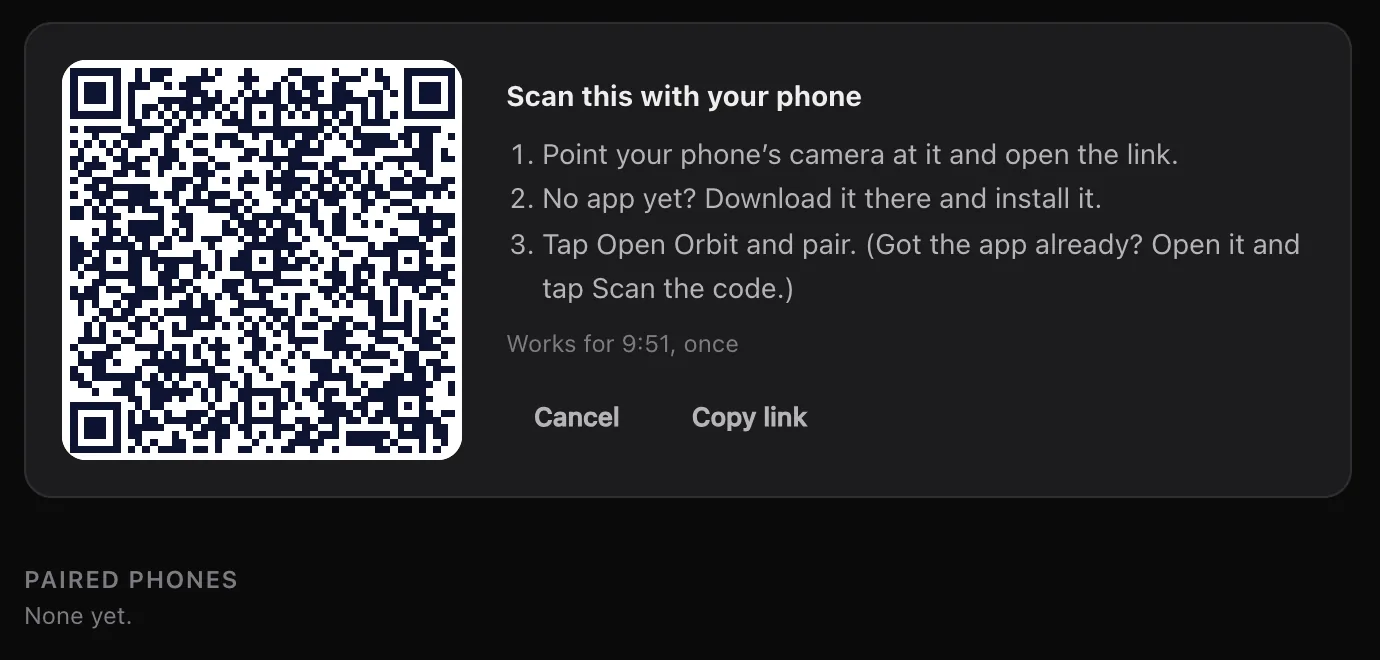
Pair with one scan.
In Settings, Phone on your computer, click Pair a phone and point your phone's camera at the code. No app yet? The page that opens has it. The code works once, for ten minutes.
Only phones you pair can connect, and everything between them and your computer is encrypted end to end. Pair more than one if you like: each gets its own key, and Remove cuts one off at once. It works with Orbit on Windows too.
At home and away.
On your Wi-Fi the phone connects to your computer directly. Away from home, it reaches it through Orbit's relay, which only passes along encrypted messages it can't read. Keep this Mac awake keeps it reachable while it's plugged in.
Write while your computer is off and the message says it sends when your Mac's back. On a tablet or an unfolded phone, Orbit uses the computer's layout, with the Orb list, the chat and the browser side by side.
- Approve drafts from the notification; nobody can send from your lock screen
- Briefings arrive as a notification
- Chat replies straight from the notification
- Notify only when I'm away, if you'd rather
- Quiet hours on the phone keep notifications silent between the times you pick
- Lock with your fingerprint, Face ID or screen lock
Android extras.
Orbit for Android is a direct download, with Google Play coming soon. It updates from Orbit on your computer. These work even with Orbit closed:
- Alarms your Moon sets, over the lock screen
- Urgent ring through Do Not Disturb when something can't wait
- Progress like "3 of 5 done" on your lock screen
- Widgets: Today and Add a task
- Share to your Moon from Android's share menu
- Places: reminders when you arrive somewhere you've named
iPhone and iPad, in beta.
The same app, made for Apple's devices, is in beta through TestFlight, with the dock and message bar in Liquid Glass and the computer's layout on iPad. It's coming to the App Store; we don't have a date to share yet.
Learn how: Orbit on Android · iPhone and iPad (beta) · Approve from your phone
No more app switching.
7 days free, then $29 a month at the founding price, locked for life. On the AI plans you already pay for.