Every task,
in one list.
Yours, your Orbs' and your team's. Tasks are grouped by day, a task with a time lands on the Planner, and any chat can add one when you ask.
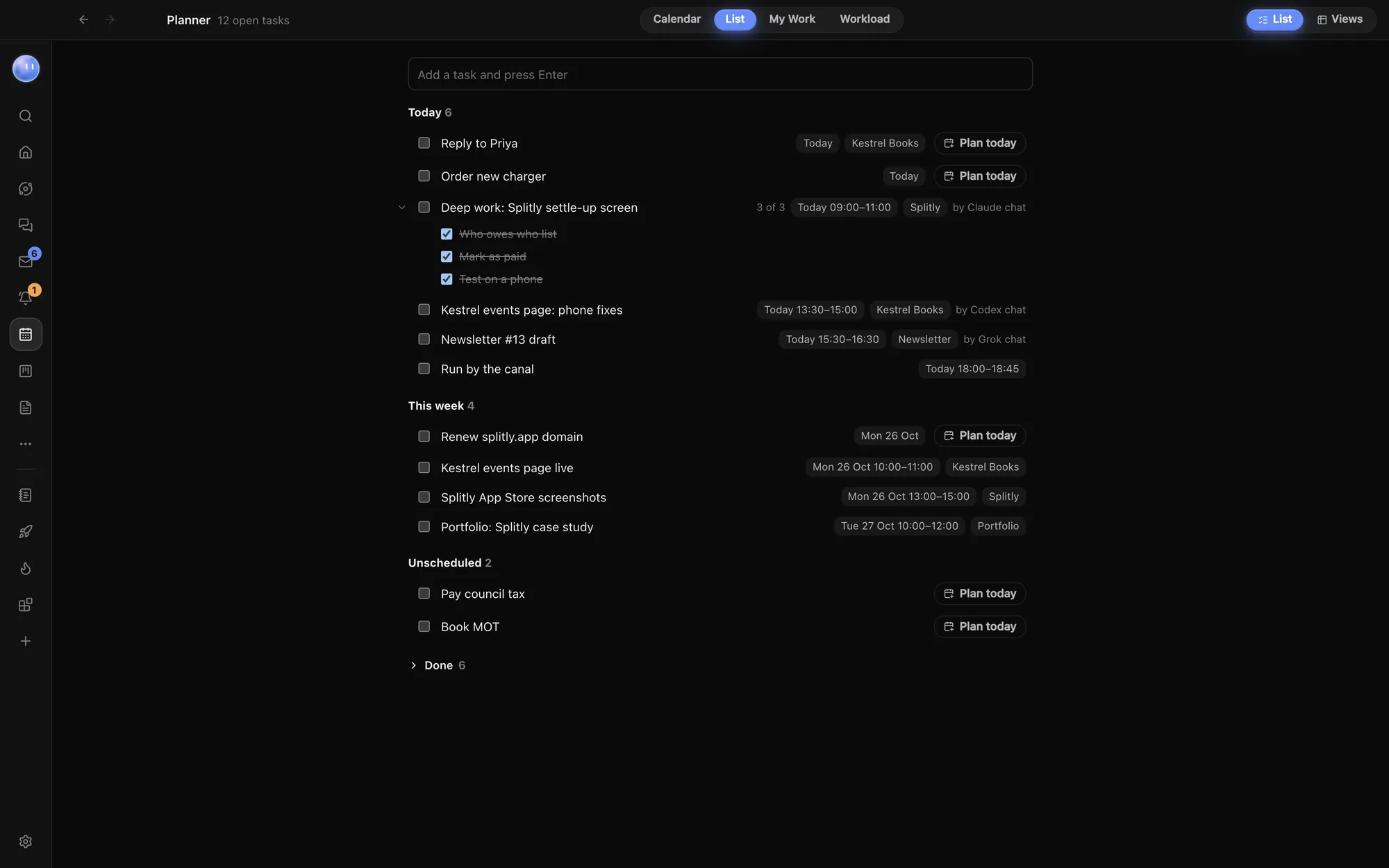
Type it. Press Enter.
Add a task at the top of the list, from the Tasks widget on Home, or by asking any chat: "Add a task to send Alex Rowe the invoice on Friday." Open it to add a due date, notes, sub-tasks, an estimate, a repeat, a project or a teammate.
- Grouped by day: Overdue, Today, Tomorrow, This week, Later and Unscheduled
- Sub-tasks under each row, folded away when you like
- Repeats from every day to every year
- Blocked by other tasks that have to be done first
- Unscheduled holds tasks with no date, so nothing quietly drops off
- Done folds away at the bottom
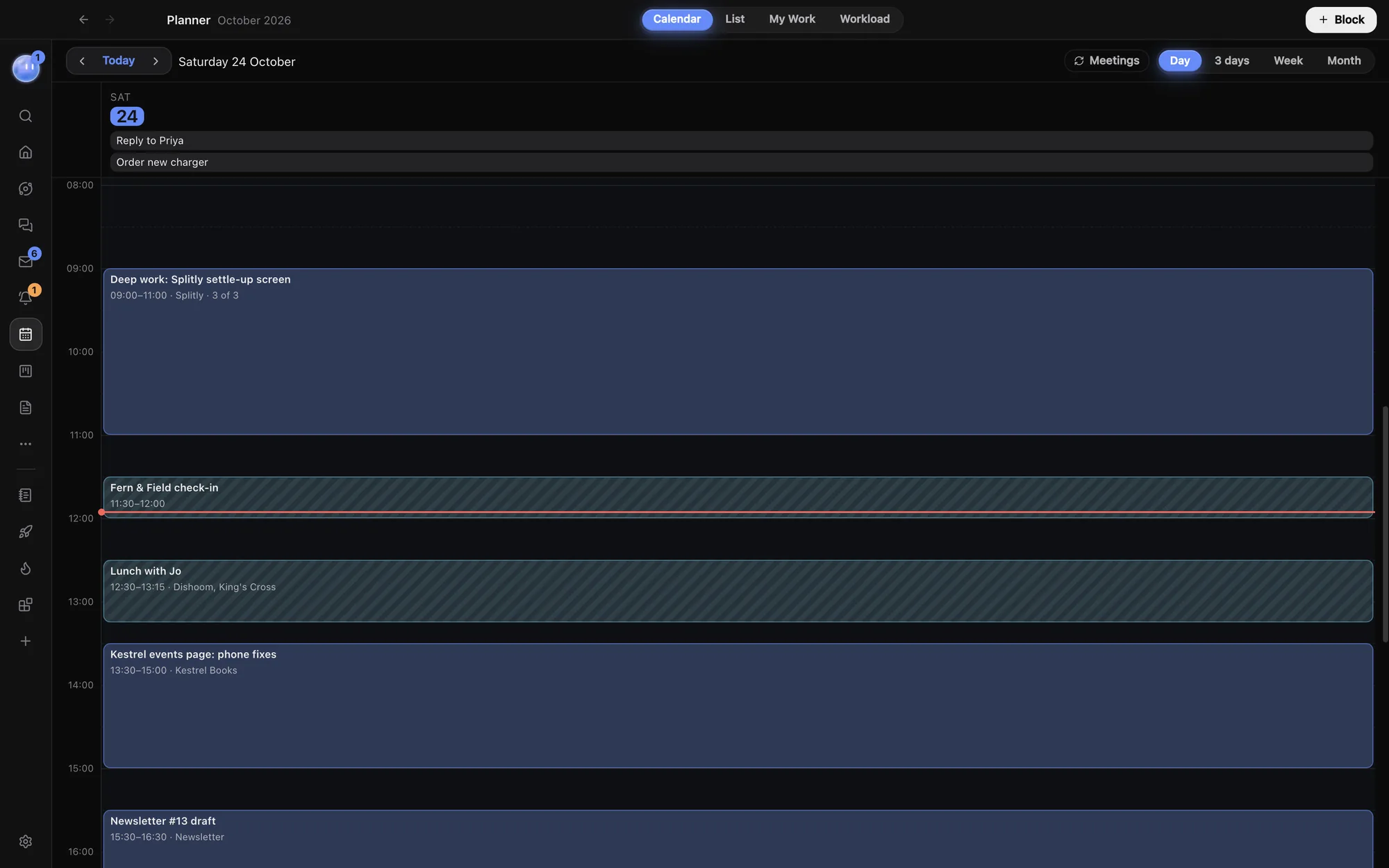
A task with a time is a block.
Tasks and time blocks are the same thing. Give a task a time and it shows on the Planner's grid; take the time off and it waits in the list.
The button on each row blocks an hour for it today, ready to drag where you want it.
My Work: just yours.
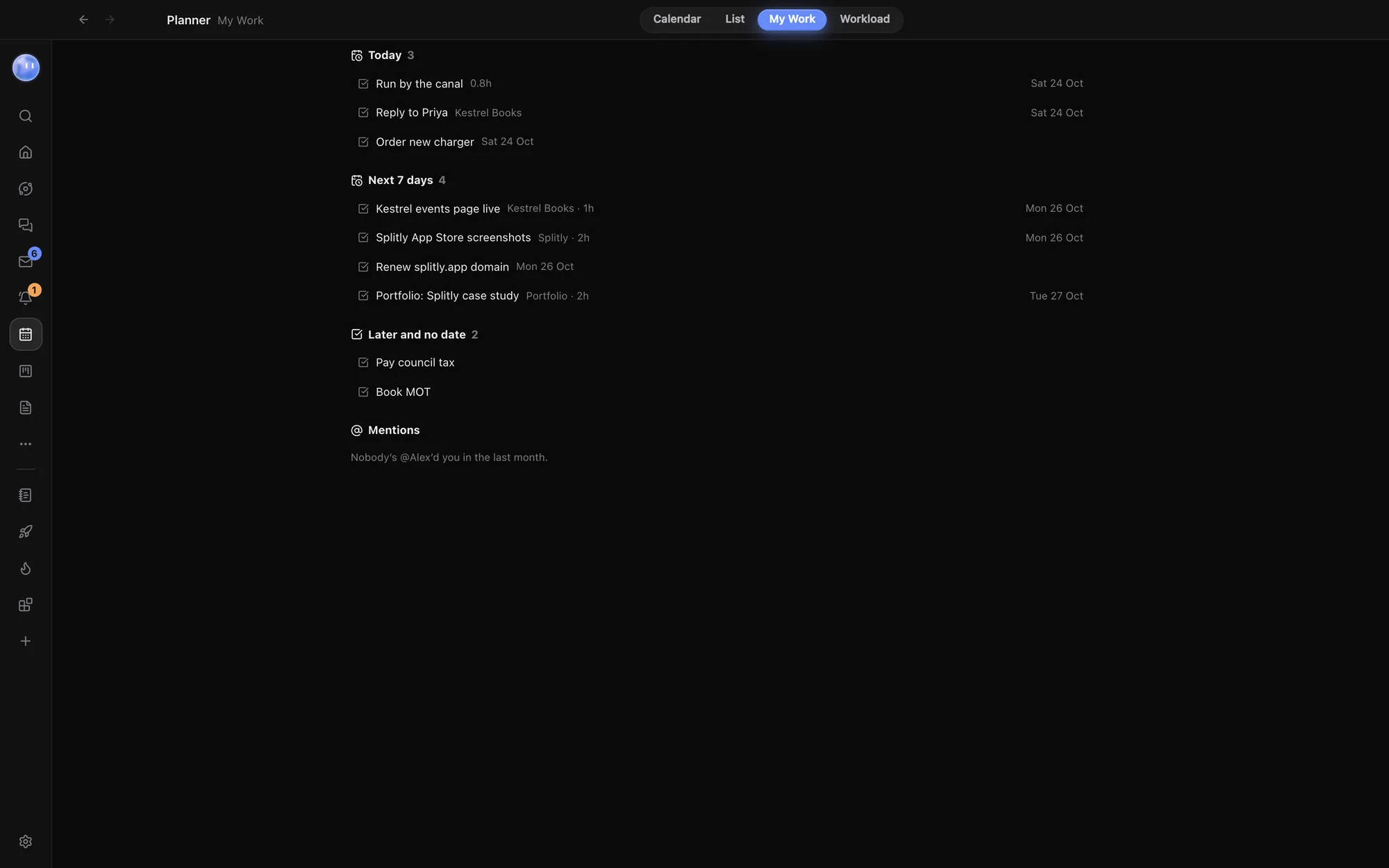
My Work cuts everything down to what's yours: Overdue, Today, Next 7 days, and Later and no date. Projects and leads count when you own them, and lead follow-ups count by their date.
Mentions lists every time someone @mentioned you in Chat in the last month. Each row shows the project and estimate; click it to open it. It's the page to open first thing when you want to know what's on your plate, not everyone else's.
Your Orbs have tasks too.
Each task shows the Orb it's with, and an Orb can own tasks just like you. Ask any chat to add one, plan one for today or tick one off, in plain words.
A task is yours if it's assigned to you, or you own it and nobody else is on it. Without a team, My Work goes by the name you set in Settings.
- Plan today on a row blocks an hour for it
- Tasks widget on Home to tick off and add from
- Assign a teammate once you're on a team
- On your phone through the Planner in the phone app
Tables and timelines when you need them.
Flip the list into a database view: a table, a timeline from start to due, or views of your own with filters, sorting, grouping and your own fields. Estimates add up in Workload, so you can see who has too much on, Orbs included. Change a task in any view and it changes everywhere, on every page.
Learn how: Tasks and My Work · Planner · Workload
No more app switching.
7 days free, then $29 a month at the founding price, locked for life. On the AI plans you already pay for.