Close the lid.
Keep working.
When your Mac goes to sleep, Orbit hands your chats to the cloud on your own plan. When it wakes, the cloud's work comes back into the same chat.
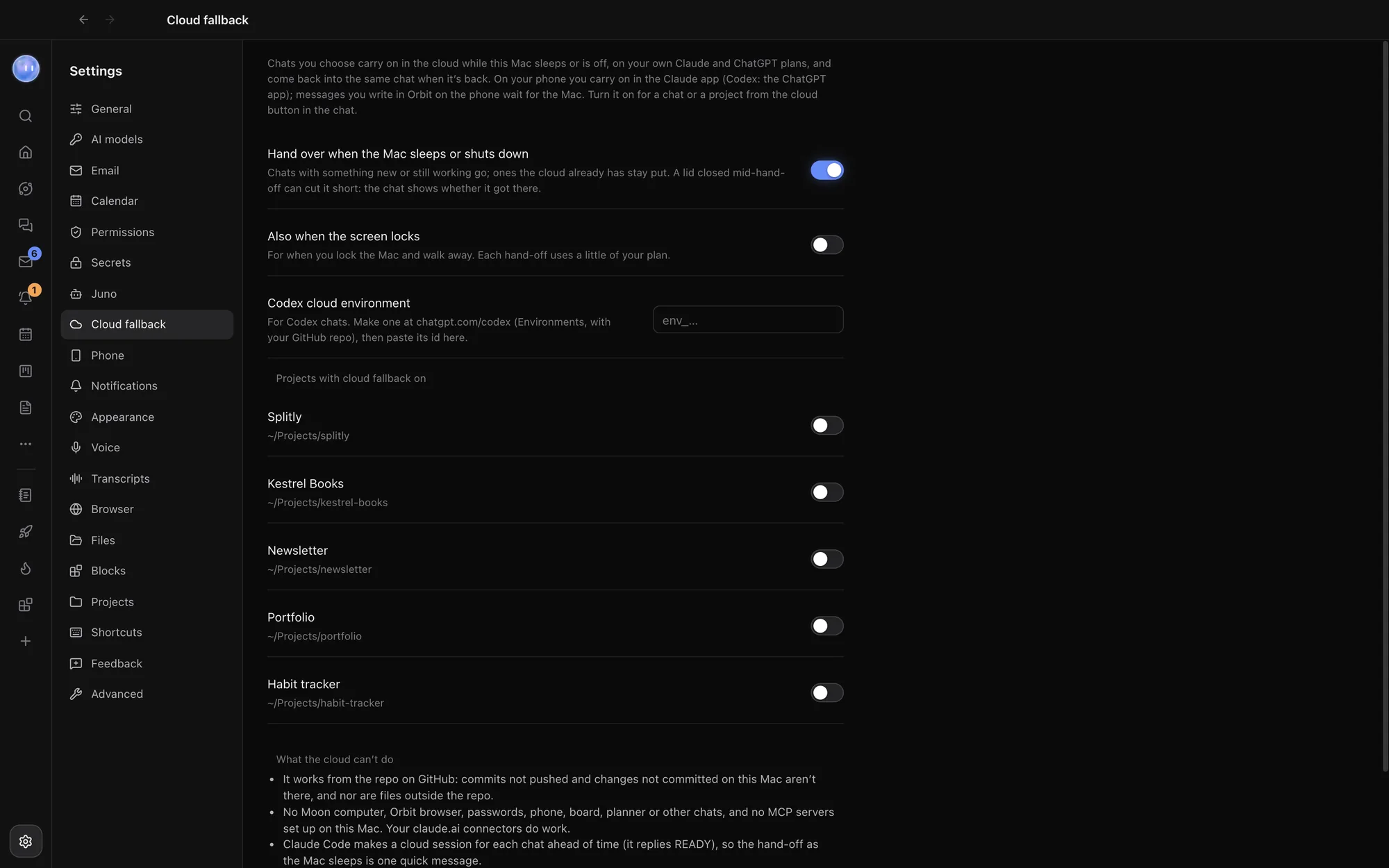
Each model, its own cloud.
Orbit sets the cloud session up ahead of time, so handing over as the Mac sleeps is one quick message. Your Moon can use cloud fallback too.
- Claude chats move to a Claude Code cloud session of their own, on your Claude plan. Carry on from the Claude app on your phone.
- Codex chats start a Codex cloud task on your ChatGPT plan, separate from the API key Orbit's Codex chats use. Changes come back as a diff you choose to apply.
- Grok chats stay on your computer, as Grok has no cloud of its own.
On for a chat, or a whole project.
Click the cloud button
At the top right of a chat.
Pick what it covers
This chat, or every chat in the project.
Check what it'll miss
The menu lists exactly what this chat won't have in the cloud. Move to the cloud now hands over straight away.
Back where you left it.
While a chat is in the cloud, a bar says so, and messages you send in the chat go to the cloud session. When your Mac wakes, Orbit folds the cloud's turns back into the chat by itself, and its next reply knows about them. You can also open it in the Claude app, check the cloud now or bring it back to the Mac yourself.
The hand-off goes straight from your computer to Claude Code or Codex, signed in as you. Orbit's own server isn't involved. The hand-off carries the chat so far as text, with the repository, branch and commit; long messages are shortened, pictures aren't sent, and a later hand-off sends only what's new.
You choose when it goes.
Settings, Cloud fallback decides when chats hand over. Chats with something new, or still working, go; ones the cloud already has stay put. Closing the lid in the middle of a hand-off can cut it short, and the chat shows whether it got there.
- When the Mac sleeps or shuts down: on by default
- Also when the screen locks: off by default, for when you lock up and walk away
- Codex cloud environment: make one at chatgpt.com/codex with your GitHub repo, and paste its id
- Per project: switch it on for every chat in a project
Safe by design.
The cloud works from your repository on GitHub, so commits you haven't pushed aren't there. It doesn't have your Mac's apps, Orbit's browser, passwords or secrets, the Board or the Planner. Connectors you've added at claude.ai do work.
- Pushes code only to a claude/ branch
- Never merges, deploys, sends, publishes or buys anything
- No extra cost from Orbit: it uses some of your own plan's limits
Learn how: Cloud fallback · Changes and pull requests · Add Codex
No more app switching.
7 days free, then $29 a month at the founding price, locked for life. On the AI plans you already pay for.