Help/Getting started
Add Codex
Codex, OpenAI's coding tool, works in Orbit on your own OpenAI API key. Codex bills your OpenAI account for what it uses. Signing in with a ChatGPT plan is coming soon.
What you need
An OpenAI API key. Get one at platform.openai.com. It starts with sk-. Codex charges your OpenAI account for what it uses, at OpenAI's prices. Orbit doesn't add anything on top.
Add your key during setup
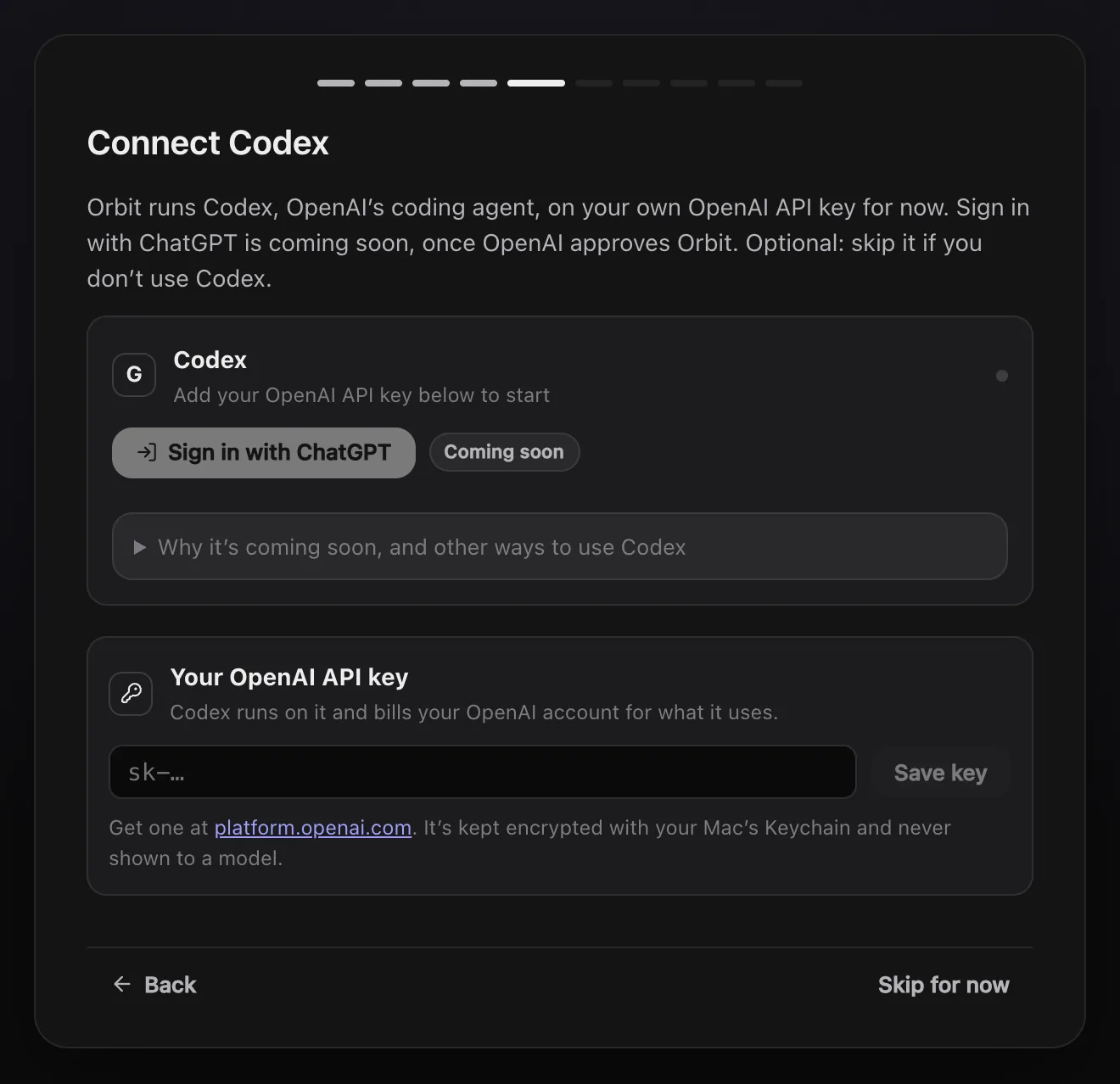
Setup has a Connect Codex step after Claude and Grok.
- If Codex isn't on your computer yet, click Get Codex on its card.
- Under Your OpenAI API key, paste your key.
- Click Save key. Orbit checks it with OpenAI, then the card says Codex is using your API key.
- Click Continue.
Don't use Codex? Click Skip for now.
Add or change your key later
Open Settings, AI models. Under the Codex card you'll find your key, shown only as its last four characters:
- Check asks OpenAI whether the key still works.
- Remove takes the key out of Orbit. Codex chats stop until you add a key again.
Your key is kept encrypted with your Mac's Keychain (on Windows, by Windows for your account) and is never shown to a model.
Sign in with ChatGPT: coming soon
OpenAI only lets apps it has approved use your ChatGPT plan. Orbit has applied, and the Sign in with ChatGPT button on the Codex card switches on once OpenAI approves it. Until then it shows Coming soon.
The card's Why it's coming soon, and other ways to use Codex section lists two more ways in the meantime:
- In the terminal. The
codexprogram itself, in Orbit's terminal, as you'd use it anywhere else. Click Open Codex in the terminal. - Codex cloud. Ask an Orb or your Moon to send a task to Codex cloud on a GitHub pull request. Codex does it in OpenAI's cloud on your ChatGPT plan, once your GitHub is connected at chatgpt.com/codex.
Common questions
The model picker says "add your OpenAI API key in Settings"
Codex has no key to run on yet. Add one in Settings, AI models, and the Codex models become available.
Can my Moon run on Codex?
Yes. Pick a Codex model for it in Settings, in the section with your Moon's name, under Model. GPT-6.1 is the suggested one.
Does Orbit see what Codex costs me?
No. Usage and billing are between you and OpenAI. Check them in your OpenAI account.
See also Connect Claude, Switch models mid-chat and the models page.
Updated 24 October 2026 · Orbit 0.1.15