Help/Orbs and projects
Send any time
You don't have to wait for an Orb to finish. Press Enter while it works and it takes your message in at its next step, then carries on with both.
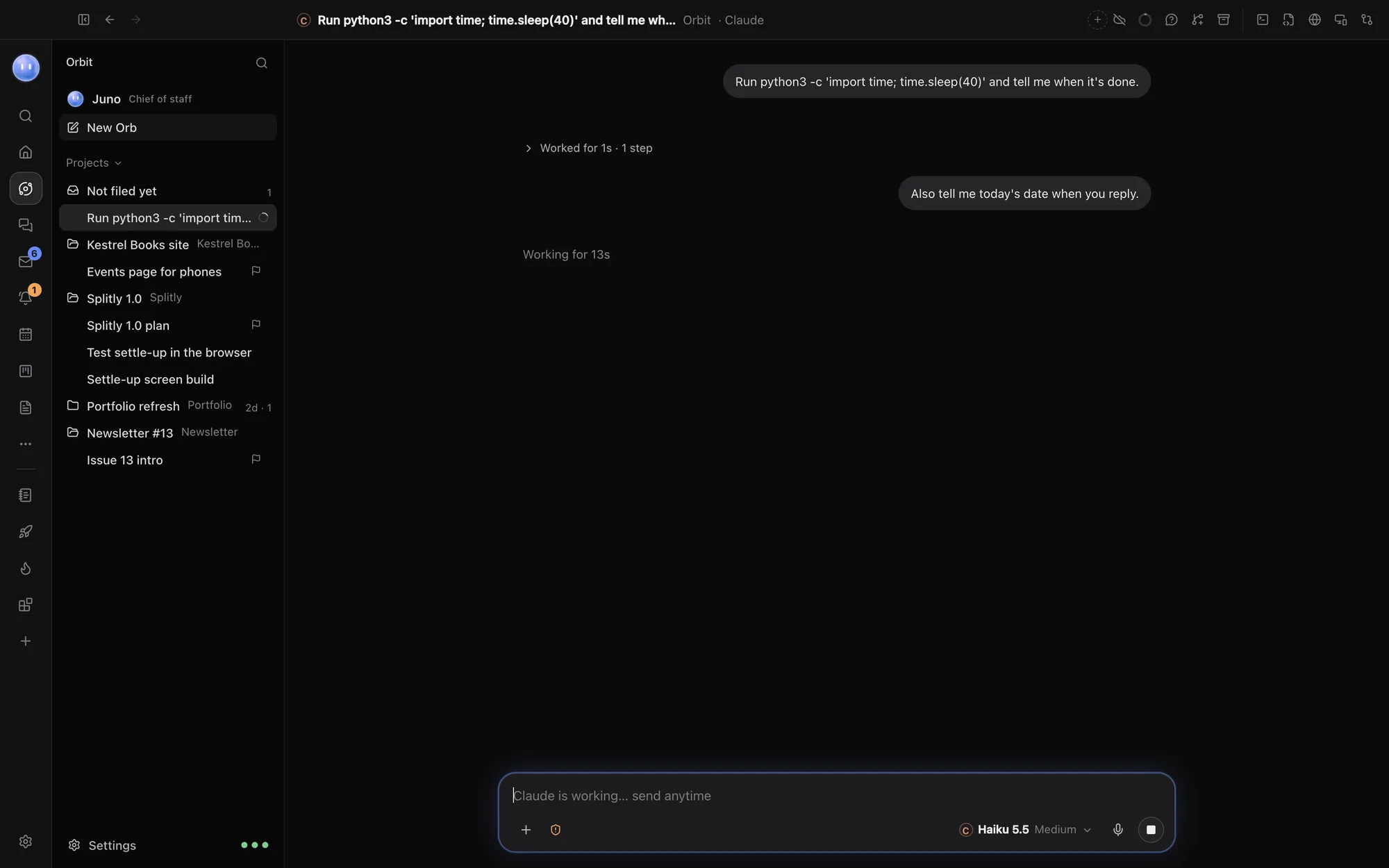
Send while it works
While an Orb is working, the message box says, for example, Claude is working… send anytime.
- Type your message: a correction, an extra detail, or the next thing to do.
- Press Enter.
On Claude and Codex, the Orb reads your message at its next step and carries on with both what it was doing and what you added. Nothing is stopped or lost. Use it for things like "also check the mobile layout" or "use the blue from the logo, not the green".
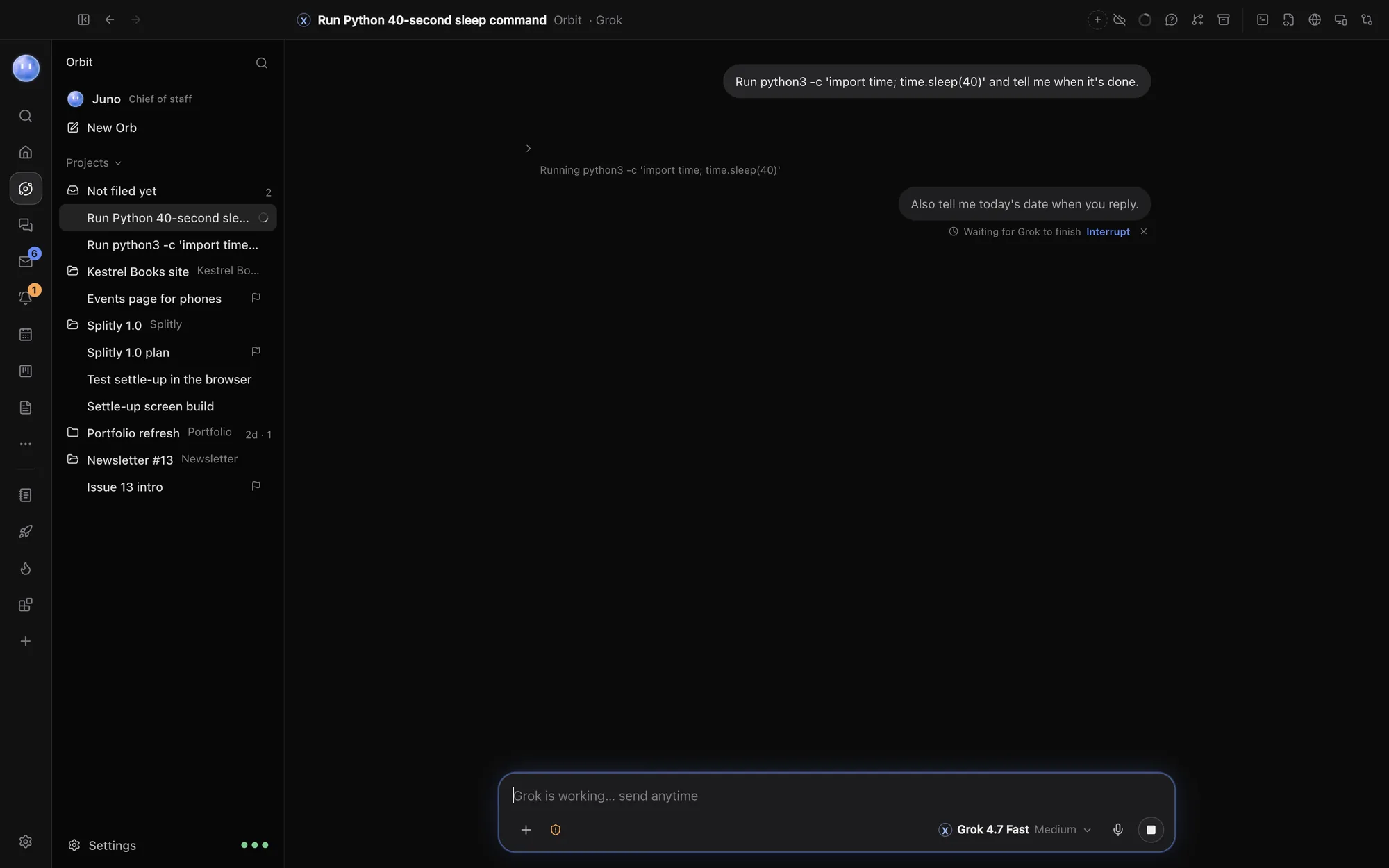
On Grok and group chats: it waits
Grok can't take a message mid-reply, and nor can a group chat. Your message shows in the chat as sent, with Waiting for Grok to finish under it. It goes in as soon as the current reply is done.
Under a waiting message:
- Interrupt stops the Orb now and has it read your message straight away, ahead of anything else waiting.
- × (Don't send it) takes the message back.
Your Moon
Your Moon takes messages mid-task too. In its chat a waiting message says your Moon reads this next. It only waits if the Moon's model can't take one mid-reply.
Stop an Orb
To stop an Orb outright, press Esc in the message box, or click the stop button where the send button usually is. What it said and did so far stays in the chat. Send a new message to carry on.
Messages to a busy chat from elsewhere
A message sent to a chat that's busy is never lost, wherever it comes from: you, your phone, your Moon or another Orb. It waits and goes as soon as the chat is free.
Common questions
Is sending mid-task the same as Interrupt?
No. On Claude and Codex, Enter adds your message without stopping anything. Interrupt, on Grok and group chats, stops the current reply first.
Can I send pictures while it works?
Yes. Paste or attach them as usual and press Enter. They go with your message.
What happened to Queue and Send now?
They're gone. Orbit now decides for you: the message goes in at the next step where the model can take it, and waits with an Interrupt link where it can't.
See also Start a new Orb, Side questions and Connect Grok.
Updated 24 October 2026 · Orbit 0.1.15