Help/Account and billing
Devices
One Orbit subscription covers Orbit on every Mac and PC you sign in to with the same email. This page shows how to see and remove signed-in devices, and paired phones.
Use Orbit on another computer
- Install Orbit on the other Mac or PC. See Install on Mac or Install on Windows.
- Sign in with the same email you subscribed with. Orbit emails you a code, or you can continue with Google or Apple.
- Orbit opens, ready to use. There's nothing else to buy.
Each computer keeps its own chats, projects, files and sign-ins, because they live on that computer. Connect your AI plans on each one. Your Google Calendar connection belongs to your Orbit account, so it works on each computer you sign in to.
See what's signed in
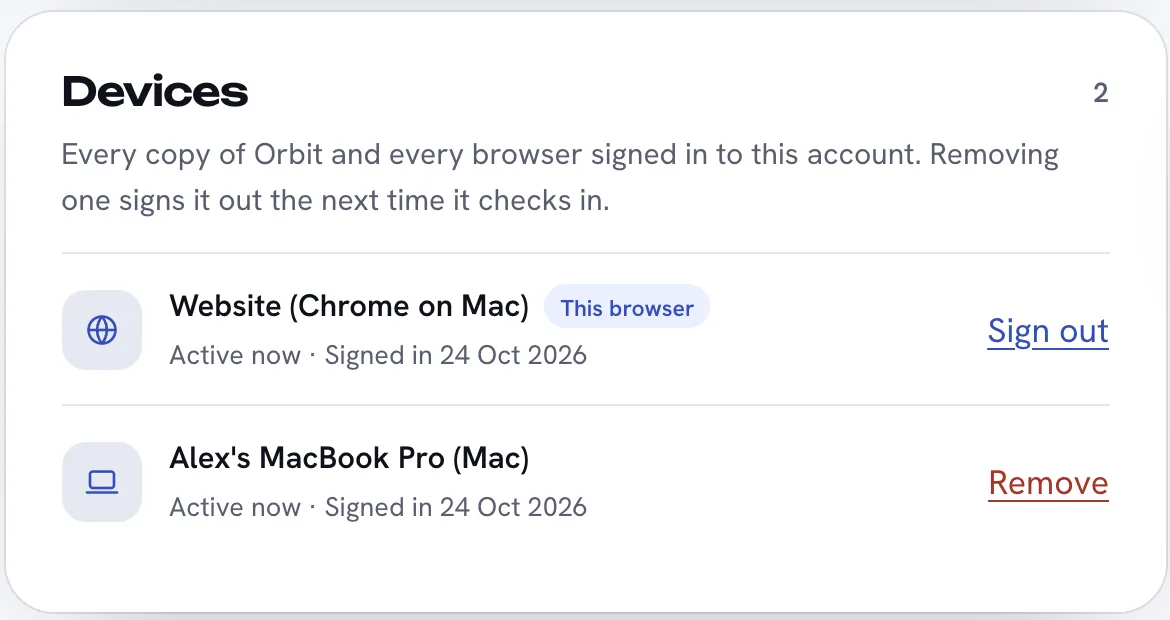
Sign in at superorbit.app/account and scroll to Devices. It lists every copy of Orbit and every browser signed in to your account, with when each was last active and when it signed in. The browser you're using is marked This browser.
Remove a device
- On your account page, find the device under Devices.
- Click Remove and confirm.
It signs out of Orbit the next time it checks in, and can sign in again with your email. Use this for a computer you've sold, lost or stopped using. To sign this browser out, click Sign out on its own row.
On a computer you're using, you can also sign out in Orbit: Settings, Orbit account, Sign out.
Licence checks and working offline
Each copy of Orbit checks your subscription with Orbit's server when it starts, when you come back to it after a while, and every few hours. Settings, Orbit account shows when it last checked, with Check now. Orbit keeps working for up to 7 days without reaching our server. The AI models themselves need an internet connection.
Paired phones
Phones work differently. The phone app pairs with Orbit on one of your computers, which does the work and sends it live to the phone. Paired phones aren't in the account's device list. To see or remove them, open Settings, then Phone, on the computer they're paired with. Paired phones lists each one with when it was paired, when it was last seen and whether notifications are on. Remove disconnects it straight away; it would need pairing again. See Orbit on Android.
Common questions
How many computers can I use Orbit on?
Every Mac and PC you sign in to with your email. There's no separate charge per computer.
Do my chats sync between my computers?
No. Chats, files and sign-ins stay on the computer they're on. To reach one computer's Orbs while you're away from it, use the phone app.
Related: Your plan and price, Billing and cancelling, Sign in and start your trial.
Updated 24 October 2026 · Orbit 0.1.15