Help/Teams
Workload
Workload is a week at a glance: one row per person, one column per day, and how full each day is. Use it to spot who's overloaded before a deadline slips.
Open Workload
Click Planner in the left rail, then the Workload tab at the top. It opens on this week, Monday to Sunday. Use the arrows to go a week back or forward, and This week to come back.
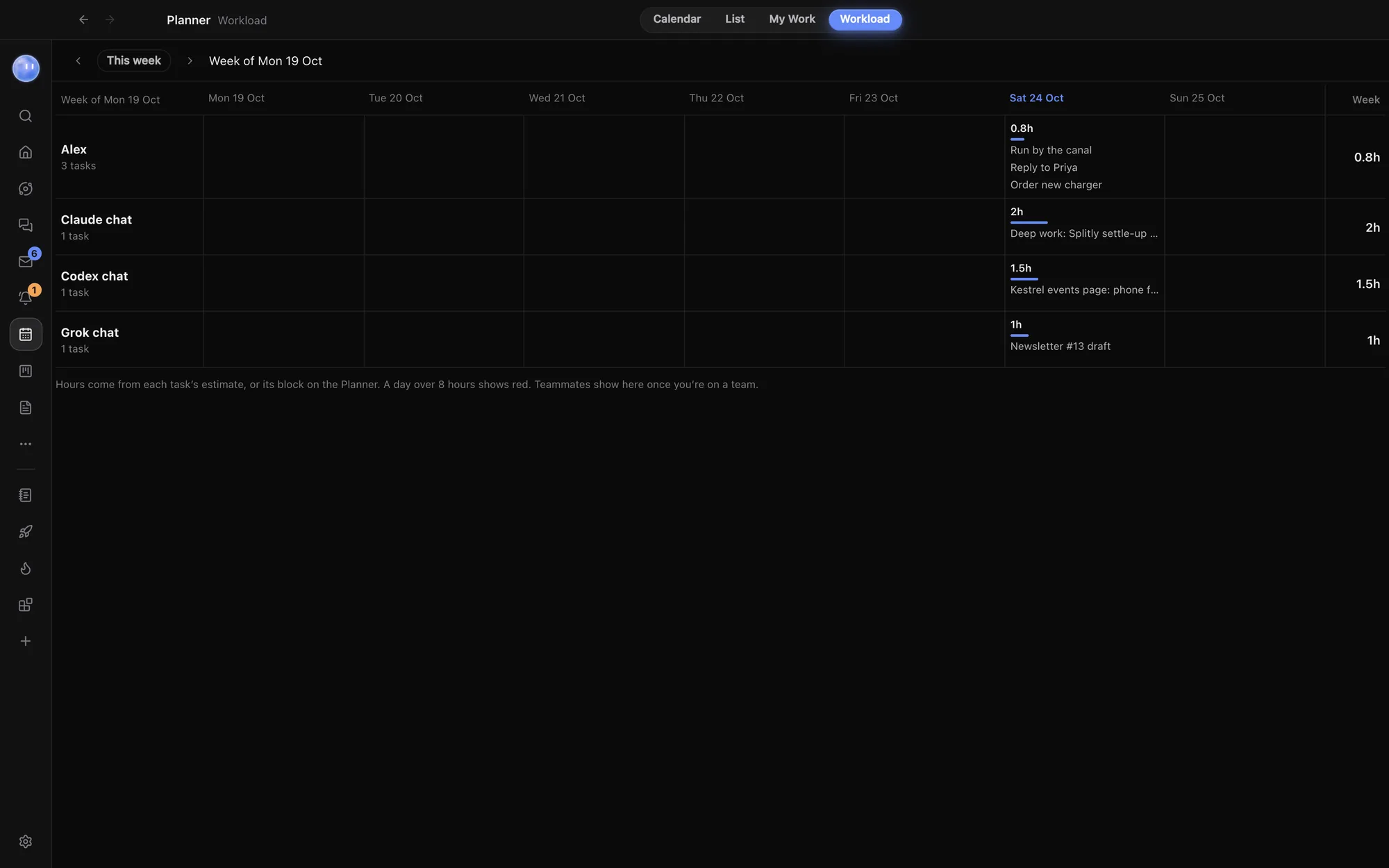
What each row shows
There's a row for everyone on your team, a row for you, and a row for each Orb that owns tasks this week. Each row shows how many tasks the person has, and for each day:
- the hours booked that day, with a bar filling towards 8 hours,
- the first three tasks by name (click one to open it), and a count of the rest,
- a week total in the last column.
Hover over a day to see every task in it with its hours.
How hours are worked out
| Where the hours come from | Example |
|---|---|
| The task's Estimate, if it has one | "Splitly onboarding copy", estimate 2 hours |
| Otherwise, the length of its block on the Planner | A block from 10:00 to 11:30 counts as 1.5 hours |
| Neither | The task is counted, but adds no hours |
A task sits on the day it's planned for, or else the day it's due. Finished tasks aren't counted.
| Colour | Means |
|---|---|
| Light | Some work booked |
| Fuller | Over 6 hours |
| Red | Over 8 hours. A week total over 40 hours shows red too. |
Whose tasks go where
- A task assigned to teammates counts for each of them.
- A shared task with nobody assigned counts for its owner.
- Your own tasks, with no owner or your name as owner, count for you.
- A task that isn't shared but has someone else as its Owner, usually an Orb, gets a row under that name, so you can see how much your Orbs have queued up too.
Without a team, Workload shows just you and your Orbs. Teammates show here once you're on a team. See Teams and teammates.
Rebalancing a week
Workload is for looking. To move work, open a task and change its day on the Planner, its estimate, or who it's assigned to. Or ask your Moon: "Juno, Alex has 11 hours on Thursday. Move what you can to Friday."
Related: Planner, Tasks and My Work, Teams and teammates.
Updated 24 October 2026 · Orbit 0.1.15