Help/Browser
Orbs in the browser
Orbit has its own browser beside every chat. Orbs use it to read, click and fill in pages in their own tabs, and hand a page to you when it needs you.
Open the browser
In any chat, click the globe button at the top right, or press ⇧⌘B (CtrlShiftB on Windows). The browser opens on the right. Drag its left edge to make it wider or narrower. Press the same keys again to close it.
It works like any browser: type an address or a search into Search or enter address, open tabs with ⌘T, bookmark a page with ⌘D, and find History, Downloads, Bookmarks, Passwords and Browser Settings in the More menu at the end of the toolbar.
Every chat has its own tabs
Each chat keeps its own set of tabs, so switching chats switches tabs too. Sign-ins, cookies and history are shared by all chats and kept after you quit, so if you sign in to a site once, every Orb can use that sign-in.
An Orb only reuses tabs it opened itself. Hover over a tab to see whether an Orb opened it. If you go somewhere else in a tab an Orb opened, it becomes yours.
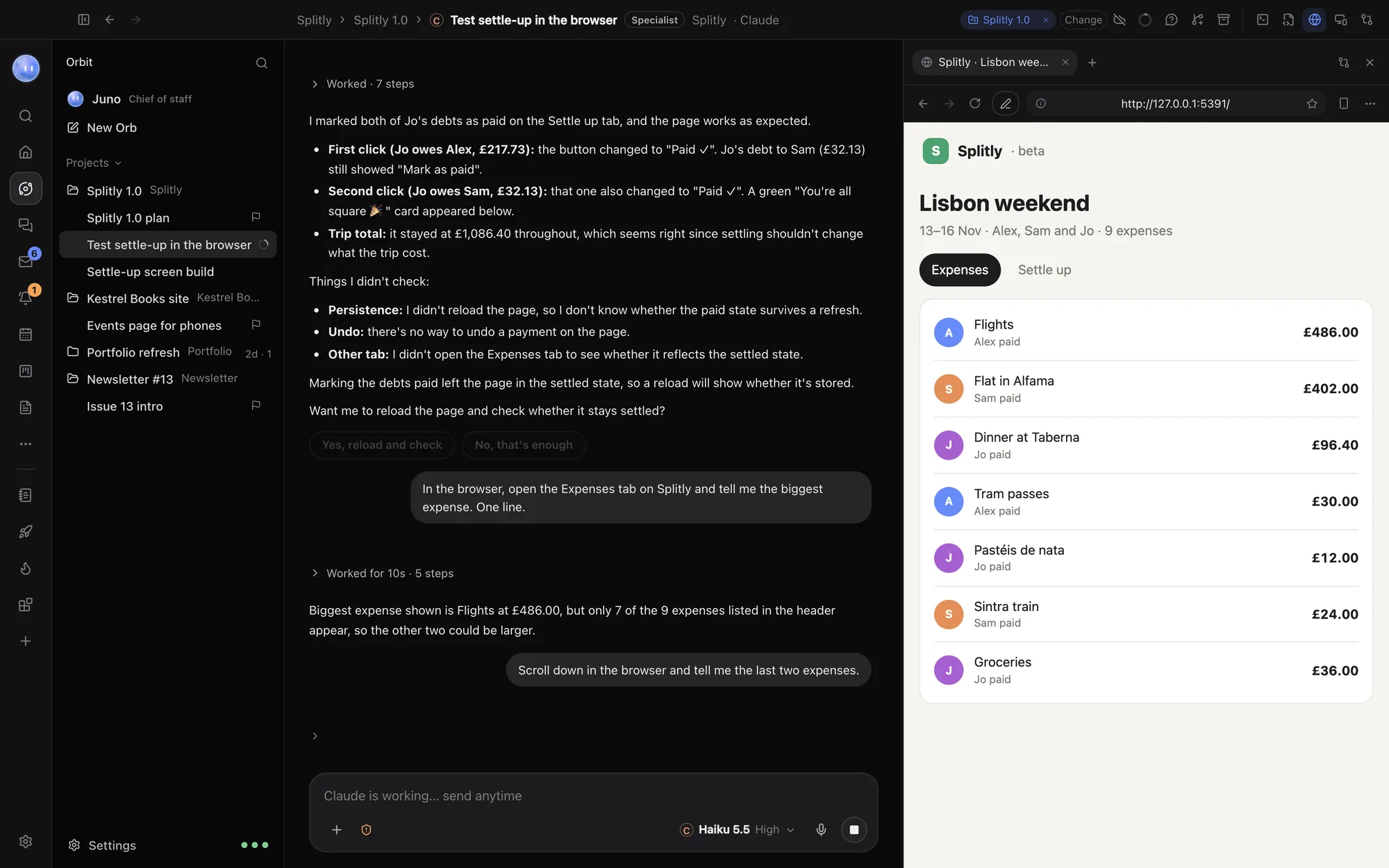
Watching an Orb work
Ask an Orb to do something on the web, like "Check the Kestrel Books checkout on a phone and tell me what's broken". It opens a tab and works there: reading the page, clicking, typing and taking screenshots.
- Orbs never take over the tab you're looking at. If you're reading something else, they work in a tab out of sight and you can switch to it any time.
- Orbs can work in tabs for chats you don't have open, so several can browse at once.
- For page checks, screenshots and recordings, Orbs load pages in the background instead, without using your tabs. See Page checks.
When an Orb hands the page to you
Some things only you should do. When an Orb reaches one, a bar appears over the page:
- Your turn: sign in on this page.
- Your turn: enter the payment details.
- Your turn: get past the check (the Orb won't solve it). This is for "are you human" checks.
Do your part on the page, then click Done, and the Orb carries on. Click Stop to tell it not to. If the waiting tab isn't on screen, a bar says an Orb is waiting for you, with Show me.
Every page or computer an Orb hands you also shows as a box in the chat, saying why it needs you and what to do, on your Mac and your phone. It's still there after you reopen the chat. You can message the Orb while the page is yours, and it answers straight away; the page stays yours until you click Done. If you forget to hand it back, the Orb takes it back after a while, so its work doesn't stall.
Passwords you've saved are filled in by Orbit itself, never typed by the model. Orbs never see them. See Passwords and profiles.
Keep Orbs off certain sites
- Open Settings, then Browser.
- Under Sites Orbs never open, add one site per line, like
example.com. Its subdomains count too.
Orbs can't open, click through to or read those sites. You still can, in any tab. This is useful for sites whose terms don't allow automated use.
Other browser settings
| Setting | What it does |
|---|---|
| Import from Chrome | Brings in your Chrome bookmarks and history. |
| Let chats run page scripts without asking | Orbs can run a line of JavaScript in a page to check how it works. Off, each one asks you first and shows the script. |
| History | Clears your browsing history. |
| Sign-ins and site data | Signs you out of every site in Orbit's browser. |
Common questions
Does an Orb use my everyday browser?
No. Orbs use Orbit's own browser, with its own sign-ins. You can import your Chrome bookmarks, history and passwords into it.
Can I stop an Orb mid-page?
Yes. Stop the chat as you normally would, or click Stop on a handover bar.
Related: Page checks, Devices, recording and notes, Passwords and profiles.
Updated 24 October 2026 · Orbit 0.1.15