Connect a tool once.
Every Orb can use it.
30 official connectors, your own MCP servers, and one library of skills and plugins. Connect once and every Orb and your Moon can use it, on Claude, Codex or Grok.
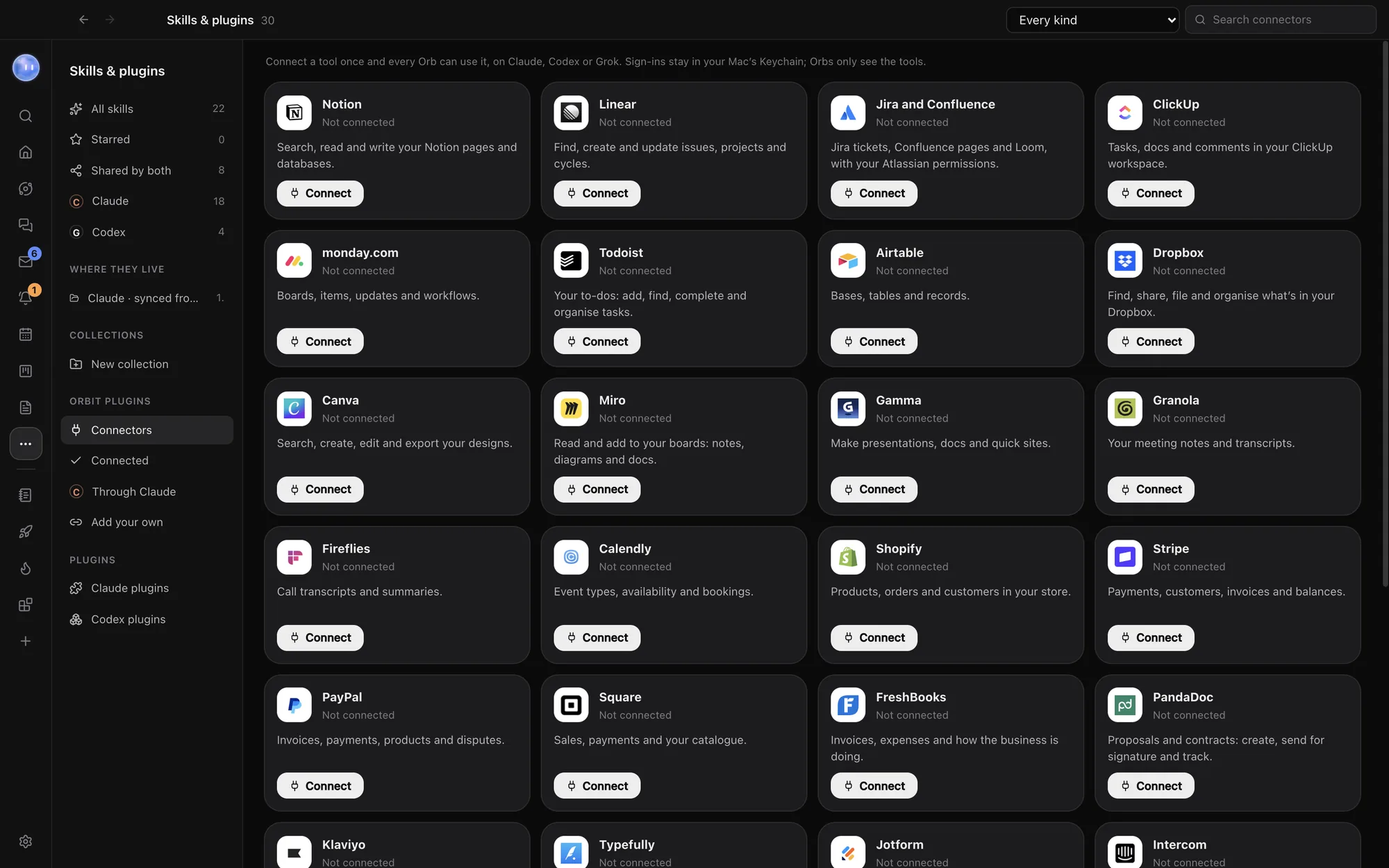
The tools you already use.
Each one is the company's own official connector. Orbit's server can add to the list, so you may see more.
Notion, Linear, Jira and Confluence, ClickUp, monday.com, Todoist, Airtable.
Dropbox, Canva, Miro, Gamma.
Granola, Fireflies, Calendly.
Shopify, Stripe, PayPal, Square, FreshBooks, PandaDoc.
Klaviyo, Typefully, Jotform, Intercom, Webflow, Vercel, Supabase, Context7.
Zapier, which reaches thousands of apps through your Zapier account, and Exa for web search.
Your Orbs never see the key.
Click Connect and you sign in on the company's own page in your browser. Orbit keeps the token encrypted with your Mac's Keychain, renews it before it runs out, and passes each call along. Your Orbs only ever see the tools. If a company stops accepting the sign-in, the card says so and Reconnect fixes it.
- Read-only lookups just run
- Anything that changes something, like creating an invoice, follows your permissions and asks first by default
- Switch one off for every Orb without forgetting the sign-in
- No extra cost from Orbit; each company's own plan applies
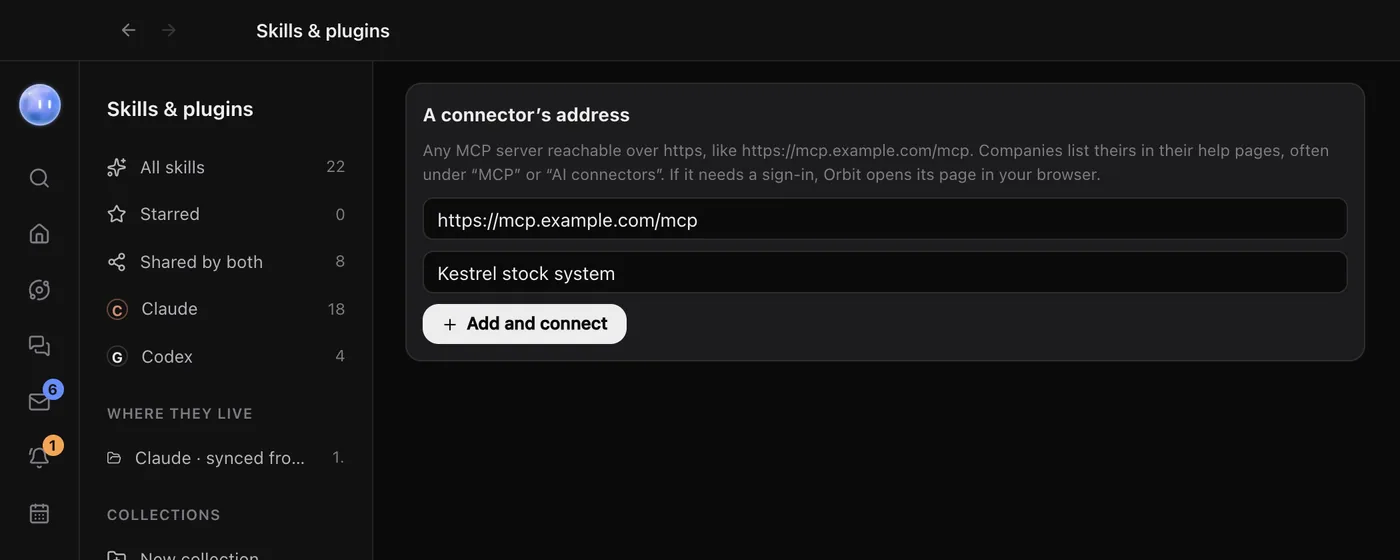
Not on the list? Add it.
If a company offers an MCP server, paste its address under Add your own. If it needs a sign-in, Orbit opens its page in your browser, and then every Orb can use it.
Building your own server? A plain http address on localhost works while you build. Once it's connected, the card shows how many tools Orbit found, and the switch on it turns the connector off for every Orb. Remove forgets the sign-in.
Your Claude connectors come too.
Connectors you've added at claude.ai also work in every Claude chat in Orbit, and for your Moon when it runs on Claude. Through Claude lists them and whether each is connected.
Google and Microsoft aren't connectors. Your email and calendars come in through Settings: Gmail and other email with an app password, Google Calendar directly, and Outlook and others from their calendar link.
One library of skills.
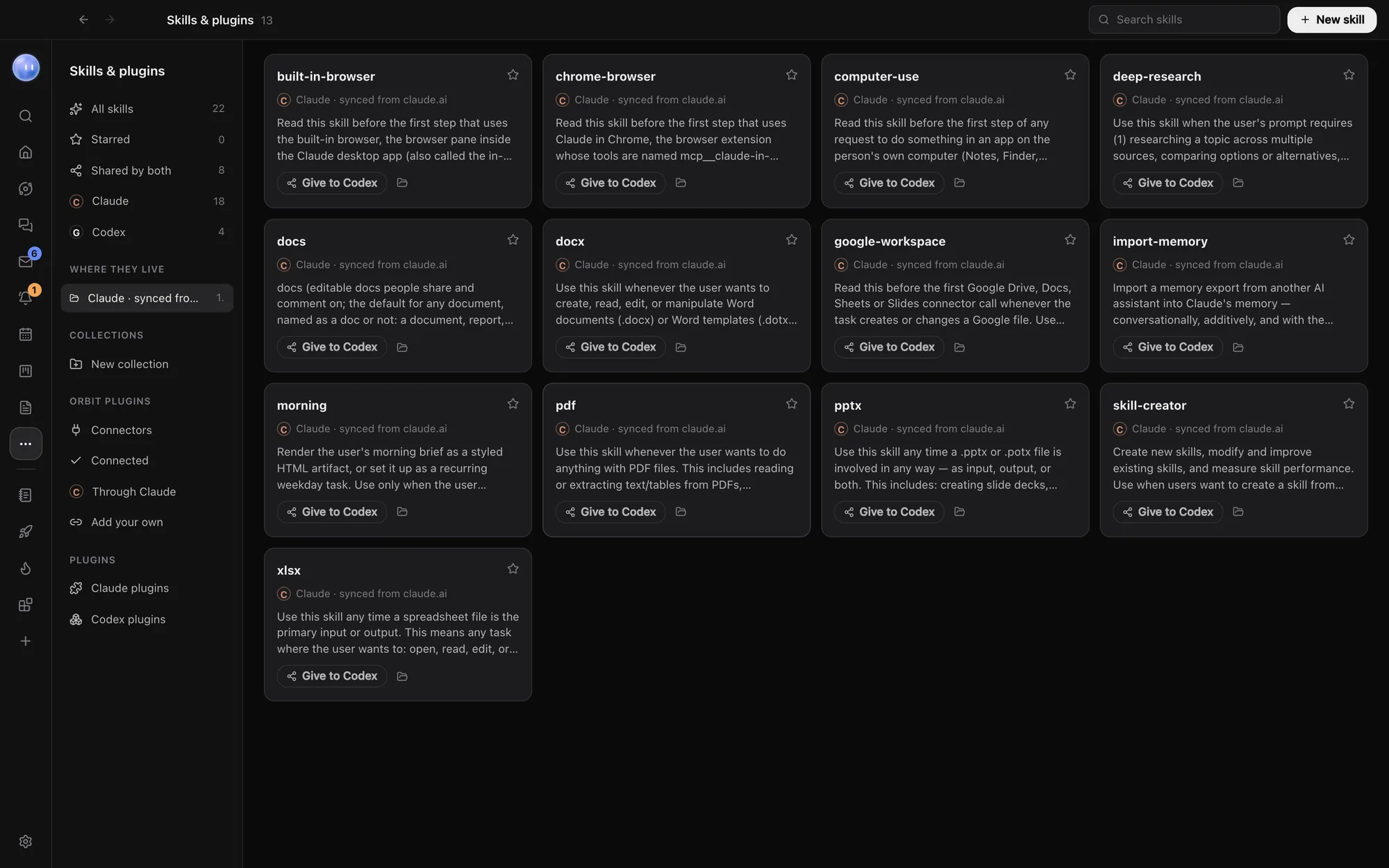
A skill is a set of instructions a model loads when it's relevant: your proposal style, your pre-launch checklist. Orbit finds Claude's and Codex's skills, and the ones synced from claude.ai, and puts them in one place to search, star and group. Each skill is a folder with a SKILL.md file inside, from ~/.claude/skills, ~/.codex/skills or the project itself.
Give a skill to Codex or Claude with one click, or have your Moon write a new one. Claude and Codex plugins are here too.
Learn how: Connectors · Add your own connector · Skills and plugins · Slash commands and skills
No more app switching.
7 days free, then $29 a month at the founding price, locked for life. On the AI plans you already pay for.