Compare
Orbit vs Cursor
Cursor is an editor built around AI. Orbit is a workspace built around your AI chats. They overlap less than you might think, and plenty of people should use both.
Choose Cursor if you spend your day inside code and want the best AI editing: Tab completions as you type, an agent in the editor, cloud agents and code review. Choose Orbit if your day is spread across several projects and tools, and you want Claude, Grok and Codex chats, a browser they can drive, a terminal, your planner and your inbox in one window, on the AI plans you already pay for. Many developers keep Cursor as their editor and run everything around it in Orbit.
What each one is
Cursor describes itself as "your coding agent for building ambitious software" (cursor.com). It is a full code editor with AI throughout: Tab, an autocomplete that suggests multi-line and cross-file edits as you type, an agent that plans and builds in the editor, a command-line agent, cloud agents that work on their own computers, a Slack integration and AI code reviews through Bugbot (pricing page).
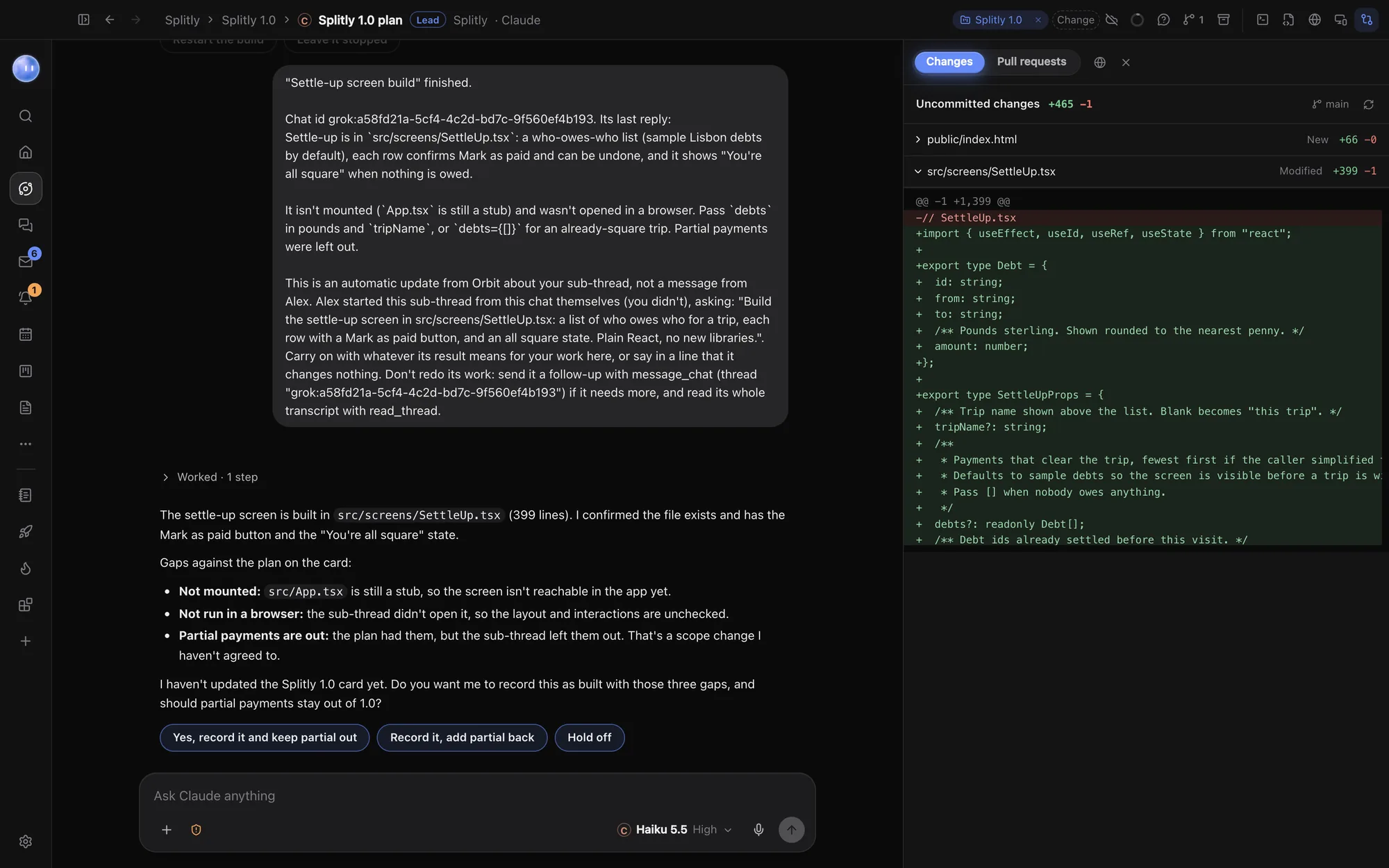
Orbit is a desktop app where every AI chat is an Orb, filed under a project linked to a folder. Orbs run on Claude, Grok or Codex and you can switch model mid-chat. Around them sit a real Chromium browser the Orbs can drive, a terminal, a light file editor, a Changes pane for reviewing diffs, pull requests, and the tools for your day: Home, Planner, Tasks, the Board, Inbox and Journal. An always-on lead Orb, the Moon, keeps an eye on all of it. See what Orbit is.
So the honest framing is: Cursor is where you write code. Orbit is where you run your work, including the parts of it that are code.
Side by side
Checked 24 October 2026. Facts about Cursor come from Cursor's own pages, linked in each row. Plans and features change, so check them before you buy.
| Cursor | Orbit | |
|---|---|---|
| What it is | An AI code editor, plus a CLI, cloud agents and Slack (cursor.com) | A desktop workspace for AI chats (Orbs), with browser, terminal, editor, review and your day |
| Runs on | macOS, Windows and Linux (download page) | macOS 13 or later, Windows 10 and 11, and Linux; Android app; iPhone and iPad in beta |
| Models | Grok models included; third-party models at API list price on Premium and above. The Plus plan is Grok models only (pricing) | Claude on your Claude plan, Grok on your SuperGrok plan, Codex on your OpenAI API key |
| Your own API keys | OpenAI, Anthropic, Google, Azure and AWS Bedrock keys, for chat models; Tab keeps using Cursor's models (docs) | Signs in with your Claude and SuperGrok plans; Codex needs an OpenAI API key (ChatGPT sign-in coming soon) |
| AI autocomplete | Yes, Tab: multi-line, jumps to the next edit, cross-file (docs) | No. Orbit's editor is for quick looks and small edits |
| Agents in the cloud | Cloud agents and automations on Premium and above (pricing) | Cloud fallback carries chats you choose on while your computer sleeps; Codex cloud tasks on a GitHub pull request |
| Code review | AI code reviews via Bugbot, Premium and above (pricing) | Changes pane for every diff; open a pull request and ask Claude or Codex to review it |
| Browser | Agents test and demo features on their own computers (cursor.com) | A full browser in the window; each Orb gets its own tabs, with page, speed, SEO and device checks |
| Planner, inbox, tasks | Not part of Cursor | Home, Planner with Google Calendar, Tasks, Board with leads and people, Inbox, Journal |
| Price | Free; Plus $8, Premium $30, Super $100, Ultra $200 a month; Teams from $30 a user (pricing) | 7 days free, then $29 a month (£29 / €29 locally) (founding price), plus the AI plans you already have |
Where Cursor is better
- Writing code by hand. If you type a lot of code yourself, Tab is the feature that matters, and Orbit has nothing like it. Cursor predicts your next edit, adds missing imports and jumps you to the next place that needs changing. Orbit's editor shows files and handles small edits; it isn't trying to be your IDE.
- A real editor. Language features, extensions, a debugger, a file tree built for big codebases: an editor's whole job. Orbit opens files beside a chat, but if you live in your code all day you'll want a proper editor.
- Teams at scale. Cursor's Teams and Enterprise plans have SSO, SCIM, audit logs, spend controls and repository and model access controls (pricing). Orbit's Teams are built for small teams sharing projects, tasks, Chat and Docs, not for company-wide admin.
- A free way in. Cursor has a free plan with limited agent requests. Orbit has a 7-day free trial, then a subscription.
- Its own models. If you want one subscription that includes model usage, Cursor's plans include Grok model usage. Orbit never sells model usage: you bring your own plans.
Where Orbit is better
- Your Claude plan, not API prices. Orbit signs in with your own Claude plan and runs Claude Code on it, so heavy Claude use comes out of the plan you already pay Anthropic for. In Cursor, third-party models like Claude are billed by usage at API list price, or through your own API key (pricing, docs).
- Several model families in one chat. Start a job with Claude, switch the same chat to Grok for a second opinion, then to Codex, and each one reads everything said so far. A group chat can have two or three models answer every message in turn. See Switch models mid-chat.
- Everything that isn't code. Orbit has a Planner, Tasks, a Board for projects, leads and people, an Inbox that brings your email and chat apps together, briefings and a Journal, and Orbs can read and update all of it. Cursor is about the code.
- The Moon. An always-on lead Orb that checks in on your messages, calendar and Orbs, runs scheduled jobs, hands work to the right project and tells you what needs you. It never sends, publishes or pays without your OK. See your Moon.
- A browser you share with your Orbs. Orbs open your local site in their own tabs, click through it, read the console and run phone, speed and SEO checks, while you keep browsing in yours. See the browser.
- Many projects at once. Each project has a lead Orb that plans and hands pieces to sub-threads, which report back. That suits someone juggling a product, two client sites and a newsletter. See Lead Orbs and sub-threads.
- Your phone. The Android app shows your Orbs, Moon, Inbox and Planner live from your computer, with approvals from the notification. iPhone and iPad are in beta.
Using them together
Orbit and Cursor don't fight over the same job, and they don't fight over your AI plans either. Orbit runs on your own Claude plan, SuperGrok plan or OpenAI key; Cursor has its own plans. A setup that works well:
- Point Orbit at the same folder you open in Cursor. It becomes a project, with a lead Orb.
- Hand the long jobs to Orbs: "build the settle-up screen and test it on a phone width", "go through the open issues and draft fixes". Watch them in Orbit's terminal and browser.
- Read the diff in Orbit's Changes pane, then open the files in Cursor when you want to rework something by hand with Tab.
- Let the Moon keep the Board, Planner and your client replies up to date while you code.
Who should choose which
- Choose Cursor if you are a developer who writes most code yourself, works in one big codebase, or works in a company that needs SSO and admin controls.
- Choose Orbit if you already pay for Claude or SuperGrok, delegate most of the typing to AI, run several projects at once, and want the browser, terminal, planner and inbox in the same place as the chats.
- Use both if you want Cursor as the editor and Orbit as the place the work is planned, run, checked and reported.
Common questions
Can Orbit replace Cursor?
For some people. If you mostly direct AI and review its changes, Orbit's terminal, light editor, Changes pane and browser may be all you need. If you write a lot of code by hand, keep an editor like Cursor: Orbit has no AI autocomplete.
Can I use my Claude subscription in Cursor?
Cursor's own pages describe third-party models as billed by usage at API list price, or through your own Anthropic API key. Orbit signs in with your Claude plan itself and works within its limits.
Does Orbit work with the folder I open in Cursor?
Yes. Orbit projects are folders on your computer, so Orbit and your editor can work on the same files. See Projects and folders.
Which is cheaper?
It depends on what you already pay for. Cursor has a free plan and paid plans from $8 a month on its pricing page. Orbit is $29 a month (£29 / €29 locally) after a 7-day trial, but model usage comes out of the Claude or SuperGrok plan or OpenAI key you already have, so there is nothing extra for the models.
Does Orbit run on Linux?
Yes. Orbit runs on macOS 13 or later, Windows 10 and 11, and Linux (Ubuntu 22.04, Debian 12, Fedora 35 or later), with an Android app.
Try Orbit free for 7 days · More comparisons · Orbit for developers
Updated 24 October 2026