Email and WhatsApp.
Drafted, never sent.
One Inbox for your email accounts and chat apps. Clients and leads come first, your Moon writes the replies, and nothing goes until you tap Send.
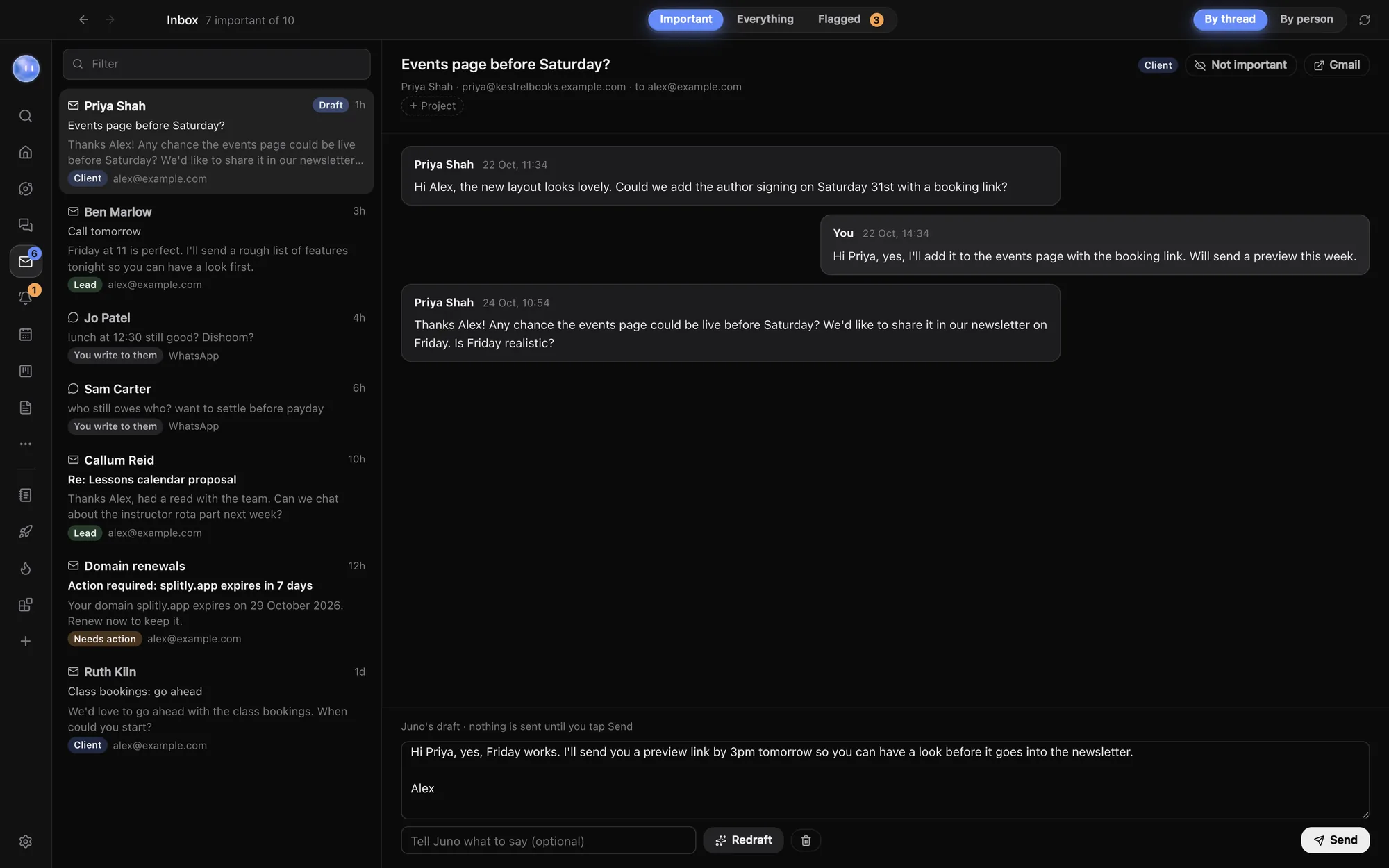
Every account, one list.
Add as many email accounts as you like with an app password, and connect WhatsApp, Instagram, Messenger, Telegram, Signal and more through Beeper on your Mac. Orbit reads them on your computer.
- Gmail and Google Workspace, iCloud Mail, Yahoo, Fastmail, Zoho, and email on your own domain
- Chat apps through Beeper's free desktop app
- App passwords kept in your computer's secure storage
- Outlook and Microsoft 365: not yet in the Inbox, as Microsoft doesn't accept app passwords
- Keep Beeper open for new chat messages to come in
Clients first.
Important holds clients, leads, people you write to and email that asks you to act, like an overdue invoice. Everything has the newsletters and notifications. Each conversation has a chip saying why it's there, like Client, Lead or Needs action, and if Orbit gets one wrong, move it and it stays put. Opening a message never marks it read. Group by thread or by person, and add anyone else under Always count as clients in Settings.
Your Moon writes the reply.
When your Moon checks in and finds a message that needs you, it flags it and drafts a reply. Approve and send, ask for a change, or put it off till later.
Or open any conversation and press Draft with Juno, with a hint like "say yes to Thursday, ask for the logo files". Edit the text as much as you like, or press Redraft for a fresh version. Drafts are written on your own Claude, Grok or Codex sign-in.
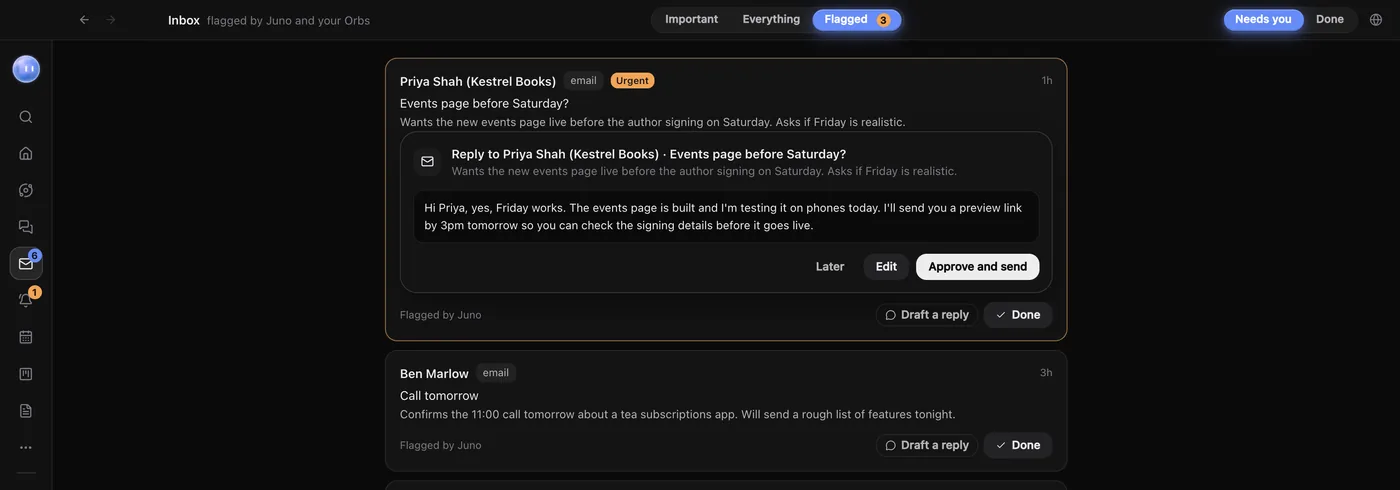
Clients don't wait for a check-in.
With Wake Juno when clients write switched on, your Moon reads a message from a client or lead straight away and tells you who, where and what they said, with a link.
Watching is read only. It never sends, marks anything read or changes labels. Replies go from the account the message came to, and chat replies go back through Beeper.
- People it doesn't know yet: your Moon decides whether a new sender could be a client and only tells you if so
- Hold messages between hours you pick, then get them together
- Never wake for senders and chats you'd rather leave to the normal check-in
Nothing goes without you.
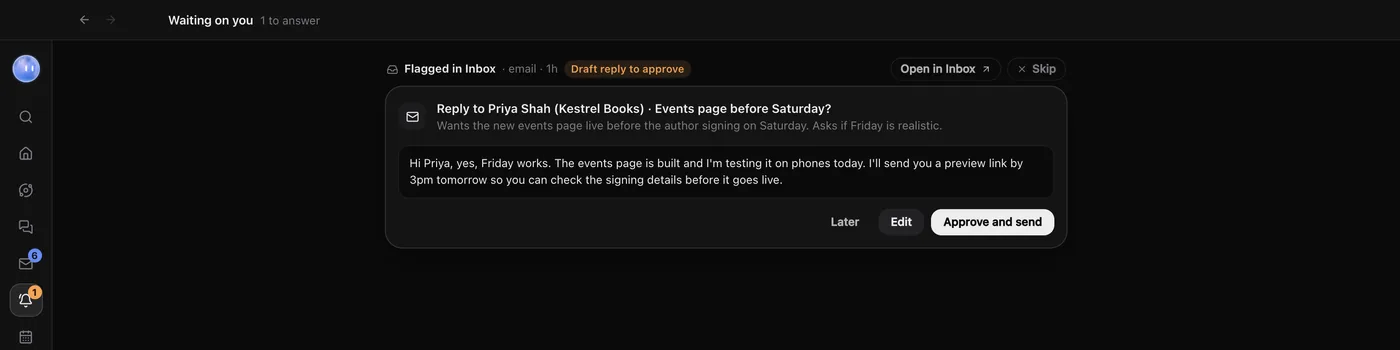
Orbit never sends a message on its own, on your computer or your phone. Drafts also wait in Waiting on you, next to every approval from your Orbs, and on your paired phone with the same Approve, Edit and Later.
Turn on Wake Juno when clients write and your Moon reads a client's message straight away instead of at its next check-in.
Learn how: Inbox · Drafts and replies · Waiting on you · Approve from your phone
No more app switching.
7 days free, then $29 a month at the founding price, locked for life. On the AI plans you already pay for.