A few minutes a day.
Only you can read it.
The Journal comes with Orbit: a morning check-in to set the day up, an evening one to let it go, and a diary and mood history that stay encrypted on your computer.
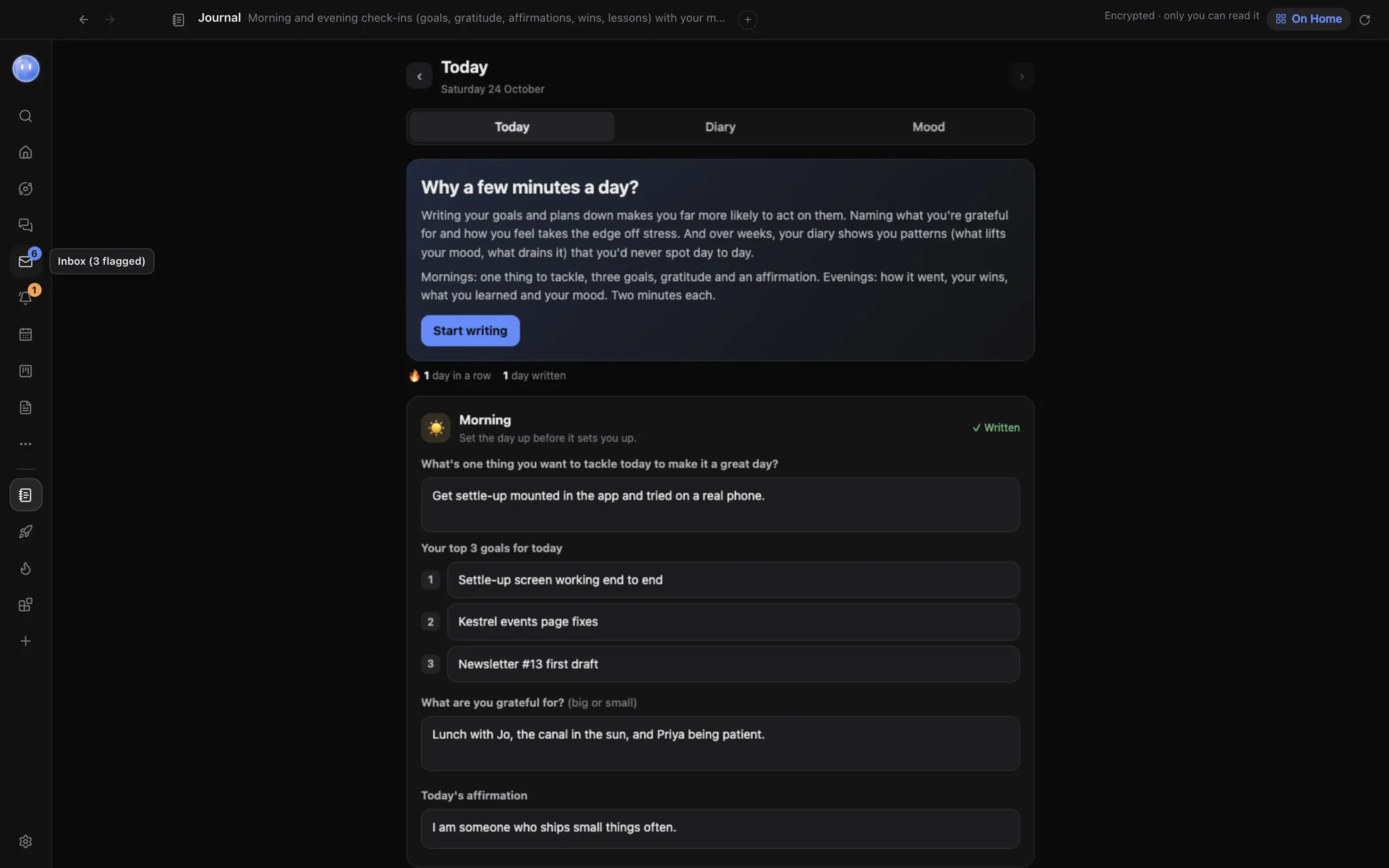
Morning and evening.
Morning: "Set the day up before it sets you up." Evening: "Look back, take the lesson, let the day go." A few prompts each, and you're done.
Use the suggested affirmation or write your own, and fold the mood details away when you just want to write. Your streak shows how many days in a row you've kept it up.
- Morning: the one thing to tackle, your top 3 goals, what you're grateful for and today's affirmation
- Evening: how today went, your wins, what you learned and how you're feeling
- Mood: with energy, sleep, tags and a note
See what lifts your mood.
Diary lists every day you've written, newest first, with search across all of it. Mood turns your check-ins into insights: average mood and sleep, your streak, a trend line, the last year as a grid of days, mood by weekday, and which tags lift or drag your mood. Tag a few days, each tag on at least two, and the patterns start to show. Click any day in the Diary to read it, then Edit to change it.
A nudge, not a nag.
If you haven't written yet, your Moon nudges you on your computer and phone, at 08:00 and 21:00 to start. Change the times or turn them off in your Moon's settings. Nudges don't come in quiet hours.
The same page holds the switch that lets your Moon read your journal. It's off to start with.
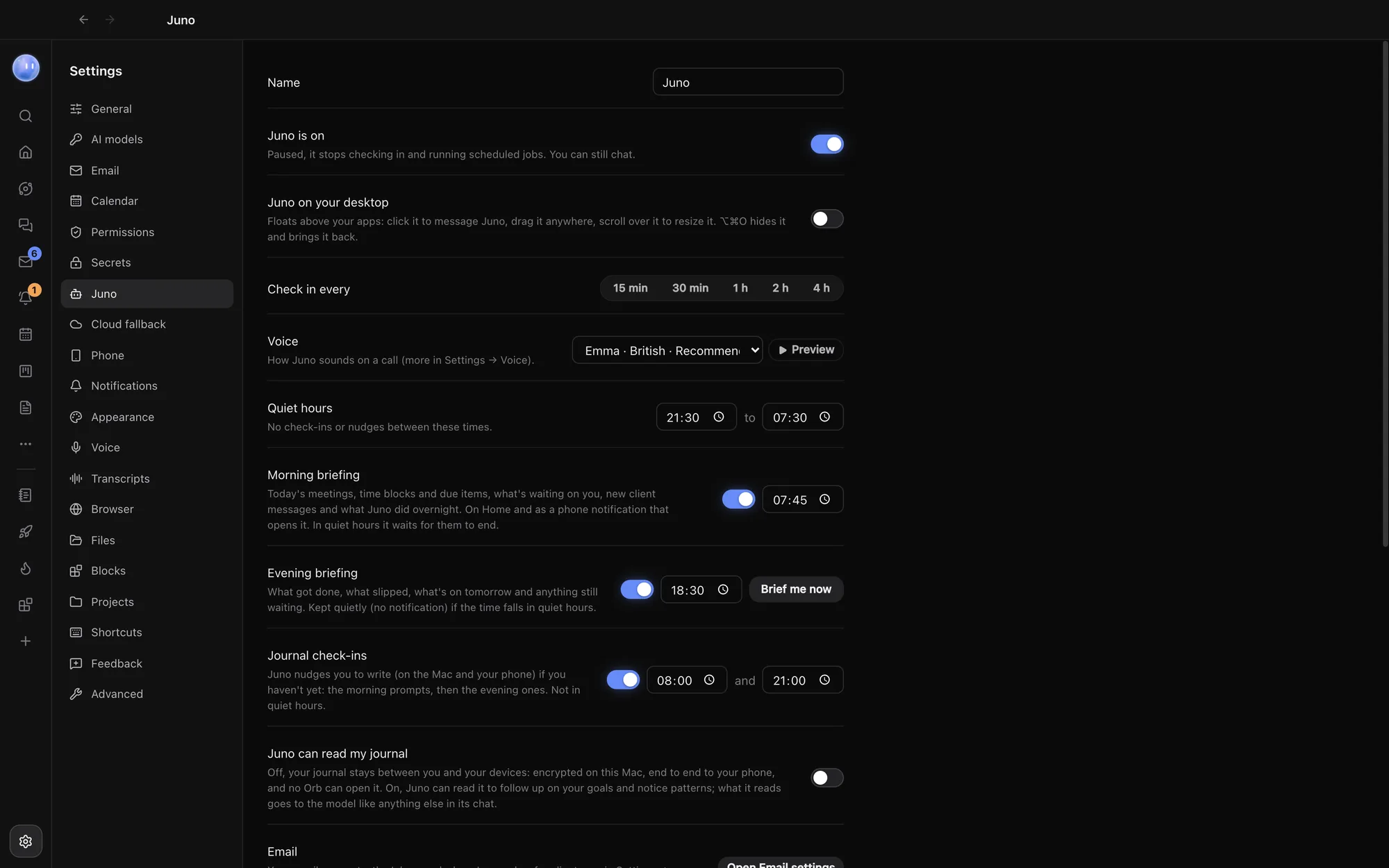
Let your Moon help, if you like.
Turn on journal access and your Moon can follow up on your goals and notice patterns. What it reads goes to the AI model like anything else in its chat, so it stays off until you choose.
Pin the Journal to Home and it shows whether you've done today's check-ins, your mood, your streak and the one thing you're tackling. Want a day gone? Open it and delete it.
Encrypted on your computer.
Each day is encrypted with a key kept in your computer's secure storage, the Keychain on a Mac. A copy of Orbit's data folder or a backup can't be read without it. Your paired phone reads the Journal over Orbit's end-to-end encrypted link and keeps nothing on disk. Phone notifications carry no journal text. It's only as private as your computer login, though: anyone signed in as you can open Orbit.
- You, on your computer or paired phone: yes
- Orbit's servers, the phone relay, Apple and Google: no
- Other chats, Orbs and blocks: no
- Your Moon: only if you turn it on
Learn how: Journal · Home and widgets · Name, colour and rules
No more app switching.
7 days free, then $29 a month at the founding price, locked for life. On the AI plans you already pay for.