Help/Getting started
Sign in and start your trial
Your Orbit account is your email address and your subscription. Sign in with a code we email you, then start your 7 days free.
Sign in
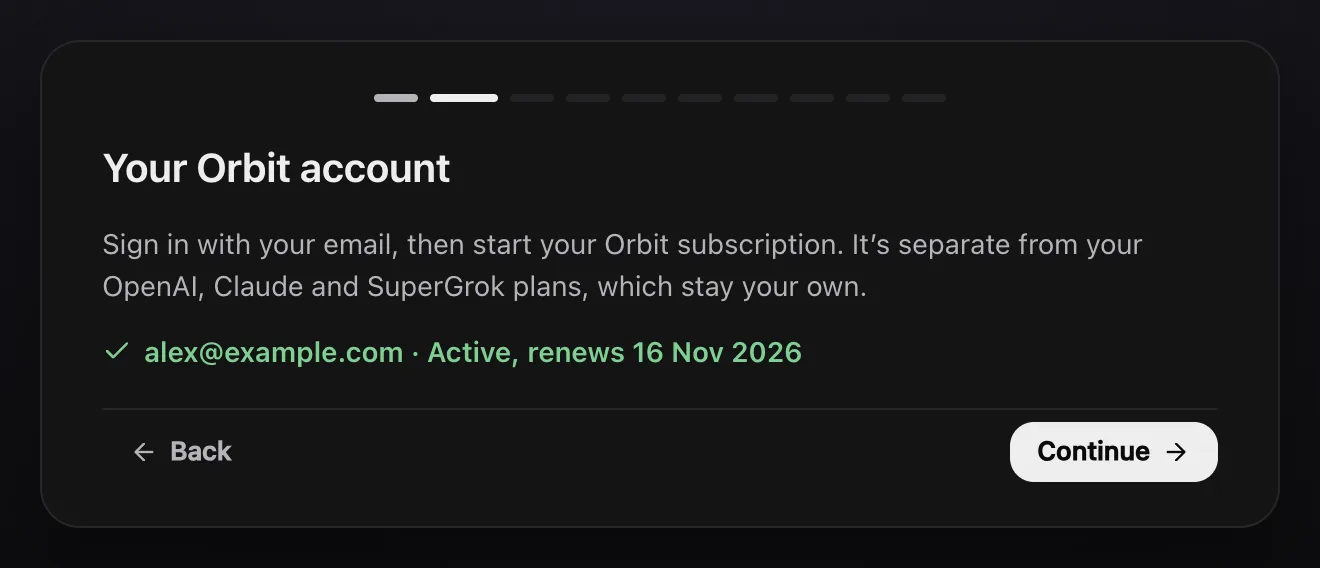
The first step of setup is Your Orbit account. You need it to use Orbit, and it's separate from your Claude, SuperGrok or OpenAI plans, which stay your own.
- Type your email address and click Email me a code.
- Open the email from Orbit. It has a six-digit code that works for 10 minutes.
- Type the code into Orbit. It signs you in as soon as the sixth digit goes in, or click Sign in.
No code? Check your spam folder, then click Send a new code. Typed the wrong address? Click Use a different email.
If you see Continue with Google or Continue with Apple above the email box, you can use those instead. The sign-in opens in your browser and Orbit carries on by itself when you've finished.
Start your free week
- Once you're signed in, click Try free for 7 days.
- Checkout opens in your browser. Add a card. You pay nothing for 7 days.
- Go back to Orbit. It notices by itself when checkout is done. If it hasn't yet, click check now.
- Click Continue to carry on with setup.
Payments go through Stripe, so Orbit never sees your card details.
What it costs
Try it free for 7 days, then $29 a month. That's the founding price for the first 500 members, locked for life: it stays yours for as long as you stay subscribed. The normal price goes up to $39 later. You pay in your own currency: pounds in the UK, euros in the eurozone and US dollars everywhere else, and the price is the same number in each.
Cancel before day 8 and you won't be charged. Keep Orbit and your first month starts on day 8. The free week is for your first subscription. There's one plan, with everything in it. See the pricing page.
Orbit never charges for the AI models. Their usage comes out of your own Claude or SuperGrok plan, or your OpenAI API key for Codex.
Check your subscription
Open Settings, Orbit account. It shows the email you're signed in with and where your subscription stands, for example Free trial, ends 31 Oct 2026 or Active, renews 30 Nov 2026. Manage billing opens your billing page, where you can change your card or cancel.
What Orbit's server keeps
Your chats, files and sign-ins stay on your computer. Orbit's server keeps your account and your subscription. If you use Teams, it also keeps what you share with teammates (Chat messages, shared docs and the items you assign), sealed with AES-256-GCM at rest. The privacy policy has the details.
Common questions
Does Orbit work offline?
Orbit keeps working for up to 7 days without reaching our server. The AI models themselves need an internet connection.
How do I cancel?
In Orbit, open Settings, then Orbit account, then Manage billing. Orbit keeps working until the end of the month you've paid for. See Billing and cancelling.
Can I sign out?
Yes: Settings, Orbit account, Sign out. Signing out doesn't cancel your subscription.
Next: Connect Claude. Also see Your plan and price.
Updated 24 October 2026 · Orbit 0.1.15