Help/Your Moon
Tidy-up and Undo
Your Moon can keep your Orb list and your project repos in order on its check-ins. Every change it makes comes with an Undo, and it can suggest changes instead of making them.
Tidy your threads
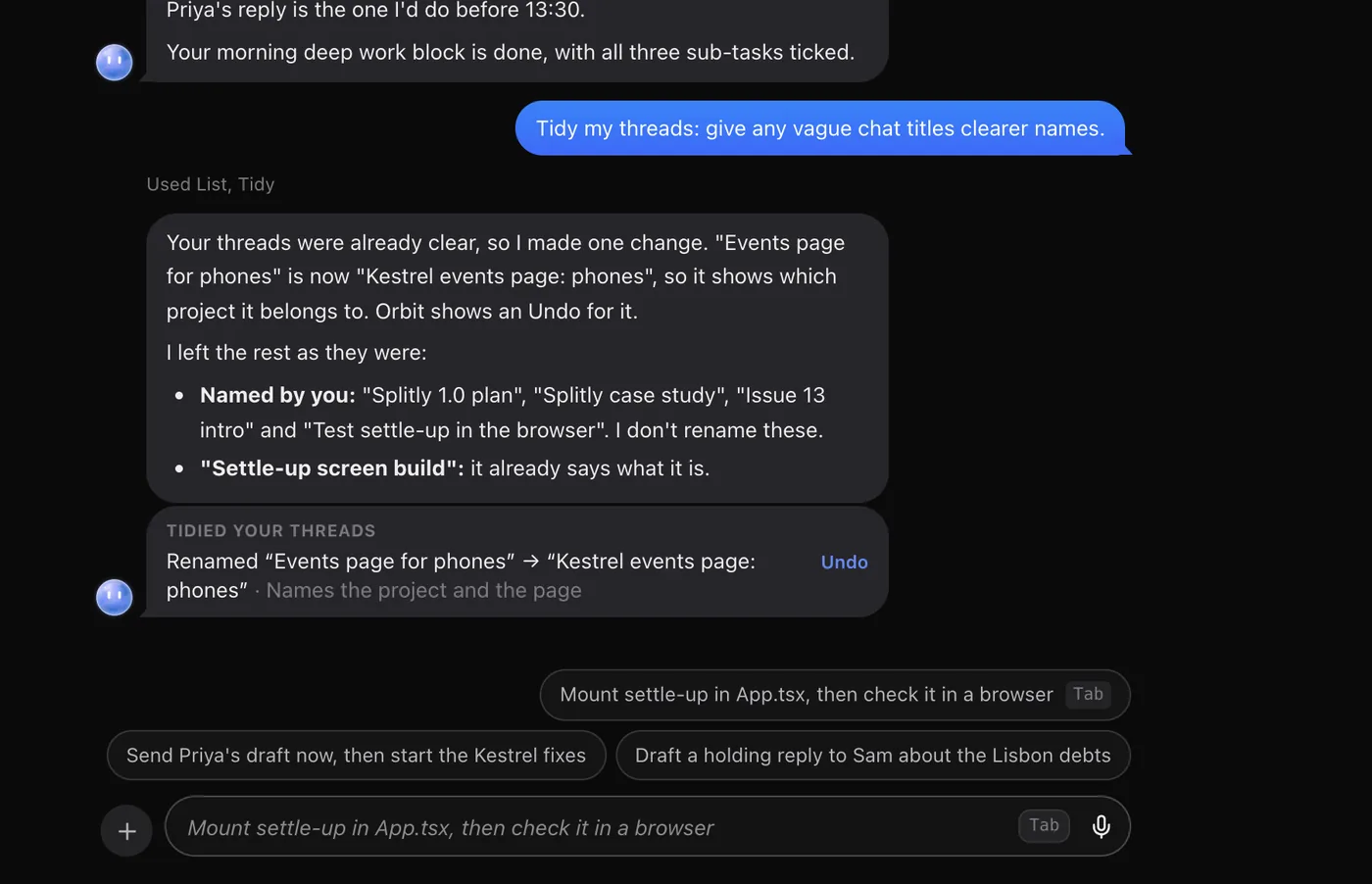
On each check-in, your Moon gives messy threads clear names and nests threads under the one they belong to. It never archives or deletes anything, and it leaves working chats and names you chose alone.
- Open Settings and click the section with your Moon's name.
- Find Keep my threads organised.
- Choose On to let it make the changes, or Suggest only to have it offer them for you to apply. Off is where it starts.
Click Tidy now to run a tidy straight away. If your Moon is busy with a check-in, try again in a minute.
The tidy-up card
After a tidy, your Moon posts a card in its chat listing each change, with the reason where it gave one. Click a change's name to open that thread.
| You see | What it means |
|---|---|
| Undo | The change was made. Click to put it back as it was. |
| Apply | Suggested only. Click to make the change. |
| Undone | You undid it. |
| Changed since | The thread changed after the tidy, so it was left as it is. |
With more than one change, Undo all (or Apply all) does them all at once.
Tidy your repos
For projects kept in Git, your Moon can also commit finished work.
- In the same Settings section, set Keep my repos tidy to On.
- Choose Quiet means untouched for: 5, 15, 30 or 60 minutes.
On a check-in, in each project repo that's quiet, your Moon commits finished work with clear messages and fast-forwards a clean branch. Quiet means no chat working or active in the repo, no file in it changed, and you away from the Mac, for that long.
It never pushes, forces, rebases or switches branches, and never commits anything that looks like a secret. Every commit has an Undo. Tidy repos now runs it straight away and skips the "you away from the Mac" part.
Common questions
Will tidy-up rename a chat I named myself?
No. It leaves names you chose alone, and doesn't touch chats that are working.
Can it delete or archive my chats?
No. It only renames and nests threads. Archiving is always yours to do.
Does repo tidy push my code?
No. It commits on your computer and never pushes. Pushing stays with you, or with an Orb you ask.
See also Lead Orbs and sub-threads, Changes and pull requests and What the Moon does.
Updated 24 October 2026 · Orbit 0.1.15