Help/Orbs and projects
Search and ⌘K
⌘K opens one box for everything: find a chat, an email or a file, jump to any page, make something new, ask your Moon, or run a block.
Open it
Press ⌘K (CtrlK on Windows) anywhere in Orbit, or click the search button at the top of the rail. Type in Search, open, make something, ask an Orb, run a block.
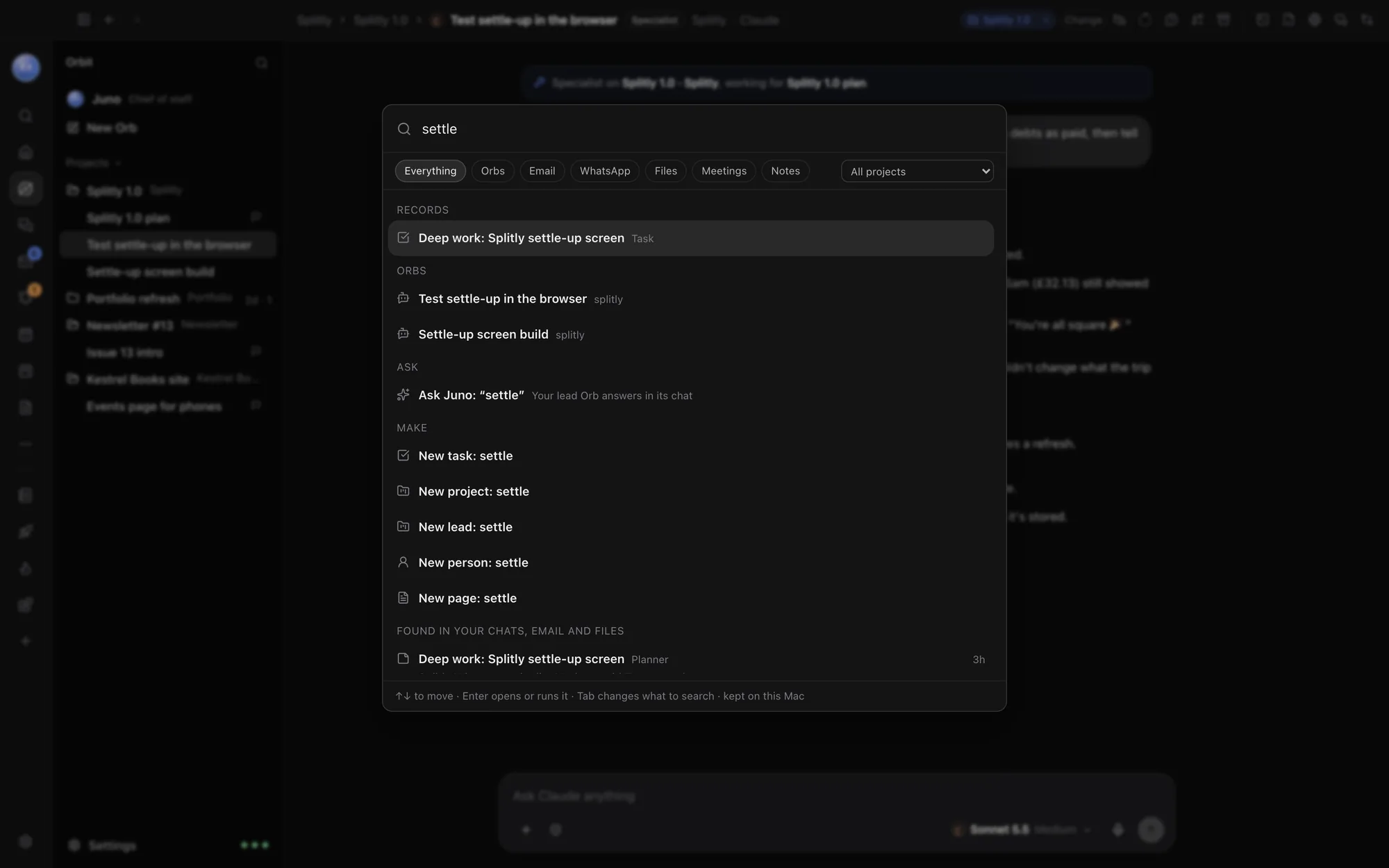
Move around
| Key | What it does |
|---|---|
| ↑ ↓ | Move through the results |
| Enter | Open or run the highlighted one |
| Tab | Change what to search (⇧Tab goes back) |
| Esc | Close the box |
What you can do from it
Results come in groups. Type "Kestrel" and you might see:
- Ask: Ask Juno: "Kestrel", where your lead Orb answers in its chat, and Talk to Juno.
- Make: New task, New project, New lead, New person and New page, each named with what you typed, and New Orb. Type "import" or a tool's name to see Move from ClickUp and the other importers.
- Go to: any page, like Planner, My Work, Waiting on you or Settings.
- Orbs: chats whose name matches.
- Records: projects, leads, tasks, people and database rows.
- Pages and Blocks: docs to open, and Run for a block.
- Found in your chats, email and files: matches inside your messages, emails and documents, with a snippet and when it was.
Search one kind of thing
The row under the box picks what to search: Everything, Orbs, Email, WhatsApp, Files, Meetings or Notes. Click one, or press Tab to step through them.
Search one project
The menu at the right of that row says All projects. Pick a project to see only what's in it. Each result also shows the project it belongs to.
Where search happens
The search index is kept on your computer. The first time, Orbit reads your chats and files in the background, and the box says indexing… until it's done.
Other ways to search
- Search Orbs at the top of the Orb list filters your chats by name.
- ⌘F in a chat finds words in that chat. With the browser in front, it finds words on the page.
Common questions
Search says "Still reading your chats and files…"
The index is still being built. Give it a few minutes the first time; after that it keeps up as things change.
Can I make a task in a project from ⌘K?
Yes. Pick the project in the All projects menu first, then type the task and choose New task.
See also Keyboard shortcuts, A tour of the window and Import from ClickUp, Asana and more.
Updated 24 October 2026 · Orbit 0.1.15