Help/Skills, plugins and connectors
Connectors
Connect a tool once and every Orb can use it, whichever model it runs on. Each company's own sign-in opens in your browser, and the sign-in stays on your computer.
Connect a tool
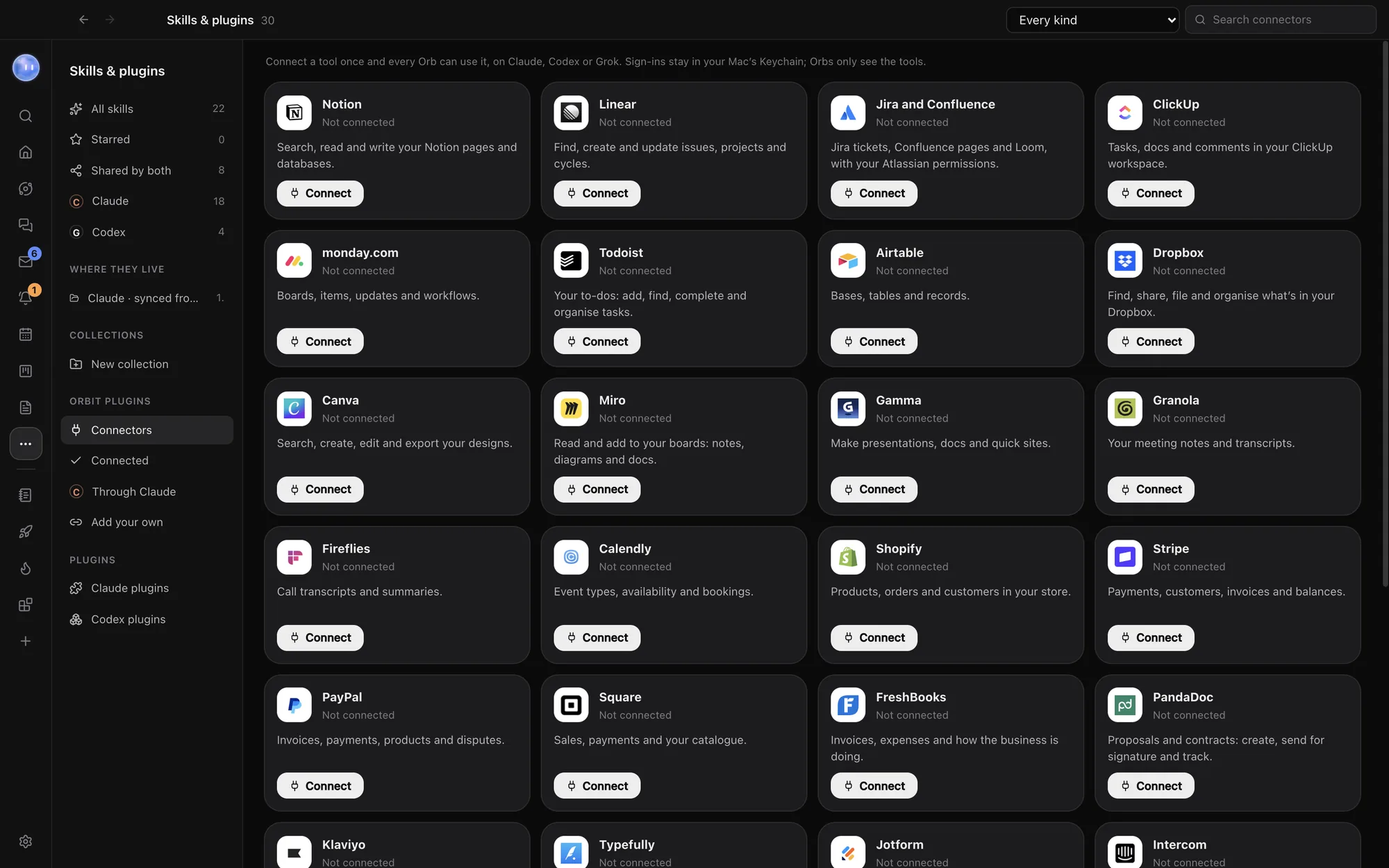
- Open Skills & plugins (under More in the left rail) and click Connectors under Orbit plugins. Home's Browse connectors button opens the same place.
- Find the tool. Use Search connectors, or the Every kind menu to show one kind.
- Click Connect. The company's own sign-in page opens in your web browser, and the card says Finish signing in in your browser…
- Sign in and approve Orbit there. Come back to Orbit: the card now says On for every Orb, with how many tools it brings.
That's it. Every Orb and your Moon can now use it, on Claude, Codex or Grok. The sign-in page waits up to five minutes; if it times out, click Connect again.
The built-in list
Orbit comes with 30 connectors. Each one is the company's own official connector (an MCP server). Orbit's server can add to this list, so you may see more.
| Kind | Connectors |
|---|---|
| Work and projects | Notion, Linear, Jira and Confluence, ClickUp, monday.com, Todoist, Airtable |
| Files, design and slides | Dropbox, Canva, Miro, Gamma |
| Meetings and scheduling | Granola, Fireflies, Calendly |
| Selling and money | Shopify, Stripe, PayPal, Square, FreshBooks, PandaDoc |
| Marketing and customers | Klaviyo, Typefully, Jotform, Intercom |
| Websites and dev | Webflow, Vercel, Supabase, Context7 |
| Everything else | Zapier (reaches thousands of other apps through your Zapier account), Exa |
Context7 (coding library docs) and Exa (web search) need no sign-in: Connect switches them on straight away.
How sign-in works, and where it's kept
- You sign in on the company's own page, in your browser. Orbit never sees your password for that service.
- The company hands Orbit an access token. Orbit keeps it encrypted with your Mac's Keychain (on Windows, Windows' encryption for your account). It's never written to disk in plain text.
- Your Orbs only ever see the tools, never the token. Orbit sits in between and passes each call along.
- Orbit renews the token before it runs out. If the company stops accepting it, the card says Needs signing in again: click Reconnect.
A few companies (Calendly, Shopify and FreshBooks) only send a sign-in back to a secure web page, so their sign-in returns through Orbit's own return page on superorbit.app before it reaches your computer.
What Orbs can do without asking
Tools the company marks as read-only, like a search or a lookup, just run. Anything that changes something, like creating an invoice or updating a task, follows your permissions, so by default the Orb asks you first. See Permissions and plan mode.
Switch off or disconnect
- The switch on a connected card turns it off for every Orb without forgetting the sign-in. Turn it back on any time.
- Disconnect stops Orbs using it and makes Orbit forget the sign-in. You can connect again later.
- Connected, in the list on the left, shows only the ones you've connected.
Connectors from your Claude account
Connectors you've added at claude.ai also work in every Claude chat in Orbit, and for your Moon when it runs on Claude. Through Claude lists them and whether each is connected. Add or remove them at claude.ai, in Settings, Connectors. The connectors in Orbit's own list work on every model.
Google and Microsoft
Google and Microsoft aren't in the connector list. Your email and calendars come in through Settings instead:
- Gmail and other email: Settings, Email, with an app password. See Inbox.
- Outlook, Hotmail and Microsoft 365 email: Microsoft doesn't accept app passwords. On a Mac, add the account to the Mail app, and Orbit reads it from there.
- Calendars: Settings, Calendar. Google Calendar connects directly; Outlook and others work from their calendar link. See Google Calendar.
Common questions
Do connectors cost extra?
Not from Orbit. You need your own account with each company, and that company's own plan limits apply.
My tool isn't in the list. Can I still connect it?
Yes, if the company offers an MCP server. Paste its address under Add your own. See Add your own connector.
Do connectors work when my computer is off?
No. Connectors run through Orbit on your computer. Chats that carry on in the cloud keep your claude.ai connectors only. See Cloud fallback.
Related: Add your own connector, Skills and plugins, Permissions and plan mode.
Updated 24 October 2026 · Orbit 0.1.15