Help/Skills, plugins and connectors
Skills and plugins
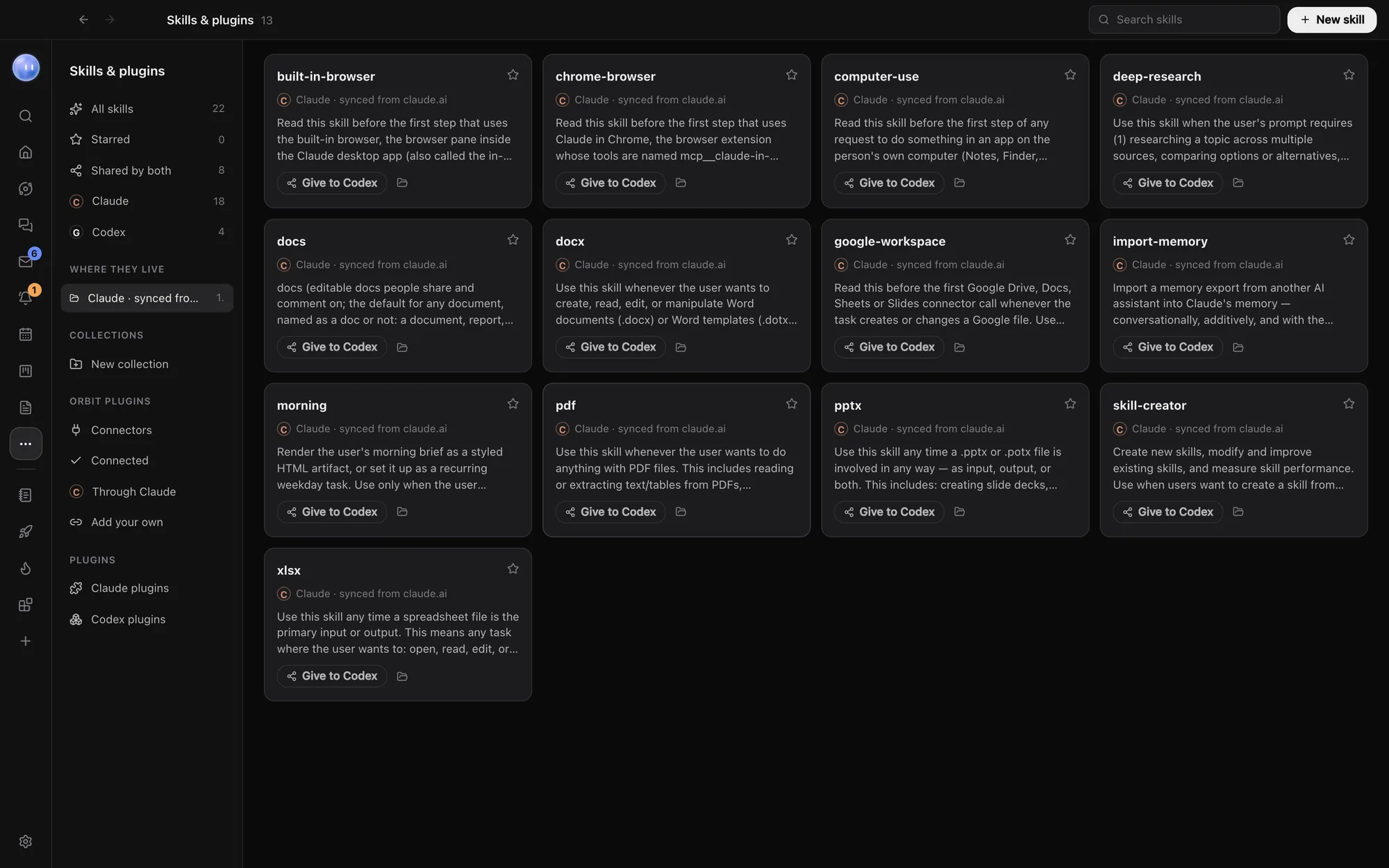
Skills & plugins is one library for everything your Orbs can load: skills, collections, plugins and connectors. Here's how to find a skill, write your own and keep it in step across models.
Open Skills & plugins
Click More in the left rail, then Skills & plugins. Click the pin next to it to keep it on the rail. The list down the left side has four parts:
| Part | What's in it |
|---|---|
| Skills | All skills, Starred, Shared by both, and one list each for Claude and Codex. Where they live lists your projects that have skills of their own. |
| Collections | Your own groups of skills, like "Client work" or "Writing". |
| Orbit plugins | Connectors: other companies' tools every Orb can use. See Connectors. |
| Plugins | Claude plugins and Codex plugins. |
Codex's lists only show once Codex is set up. See Add Codex.
What a skill is
A skill is a set of instructions a model loads when it's relevant: your house style for proposals, the checklist you run before a launch, how you like invoices worded. Each one is a folder with a SKILL.md file inside. Orbit finds them in these places:
~/.claude/skillsfor Claude, and~/.codex/skillsfor Codex.- Inside each project:
.claude/skillsand.agents/skills. These show under the project's name. - Skills synced from your claude.ai account. These are read-only here; change them at claude.ai.
To run one, type / in any message box and pick it. See Slash commands and skills.
Find and organise skills
- Type in Search skills to filter by name, description or where it lives.
- Click a card to read the whole skill in a panel on the right.
- Click the star to add it to Starred.
- Click New collection, name it, then use the Collections… menu on any card to add the skill to it.
- The folder button shows the skill in Finder. The bin button (Move to Trash) removes it, after asking.
Write a new skill
- Click New skill at the top right.
- Fill in Name (for example
proposal-style), When to use it and Instructions. - If Codex is set up, tick who it's For: Claude, Codex or both.
- Click Save skill.
Rather not write it yourself? Fill in the name or what it's for, then click Have Juno write it (the button uses your Moon's name). Your Moon writes the skill into the right folders and tells you when it's done.
Share a skill between Claude and Codex
A skill with the same name in a Claude folder and a Codex folder counts as shared, and shows a Both tag. To copy one across, click Give to Codex or Give to Claude on its card. Find all of them under Shared by both.
Plugins
Plugins are bundles from Claude Code and Codex that add skills, commands and tools. Click Claude plugins or Codex plugins to see them.
- Installed shows what you have. All shows what you can add, with an Install button.
- For Claude plugins, Turn off and Turn on pause one without removing it. Uninstall removes it.
- Plugins tagged From claude.ai come from your Claude account and are managed there.
- The refresh button (Look again) reads the list again after you change something outside Orbit.
Common questions
What's the difference between a skill, a plugin and a connector?
A skill is written instructions. A plugin is a package that can hold skills, commands and tools for Claude or Codex. A connector links another company's app, like Notion or Stripe, so every Orb can use its tools, whichever model it runs on.
Can I edit a skill in Orbit?
Orbit shows the skill and its folder. To change it, open the folder from its card, or ask an Orb in a chat to change the skill for you.
Why can't I delete some skills?
Skills synced from claude.ai are read-only in Orbit. Remove them in your Claude account instead.
Related: Connectors, Add your own connector, Slash commands and skills.
Updated 24 October 2026 · Orbit 0.1.15