Help/Teams
Docs and databases
Docs is where you write: briefs, notes, SOPs and proposals, with links to your projects. Databases give any list its own fields and views, from a content calendar to your Board.
Make a page
- Click Docs in the left rail.
- Click New page, or the template button beside it. Built-in templates: Blank page, Client brief, Meeting notes, SOP and Proposal.
- Type a title, then write. Type / for blocks and @ to mention someone or link a page or project.
Pages nest: use Add a page inside on a page in the list, or drag pages onto each other. Add an icon and a cover from the top of a page. Search docs searches every page's text.
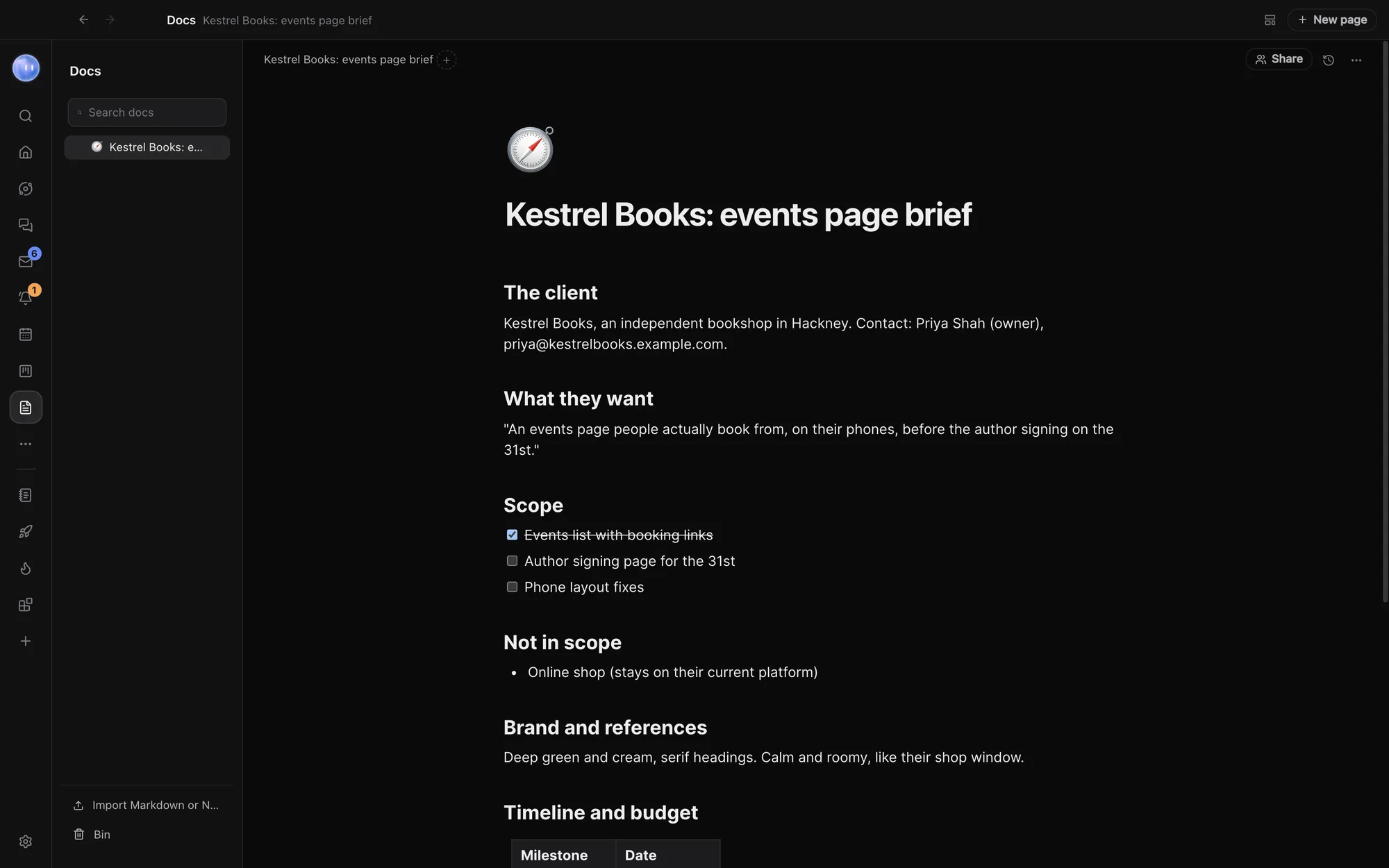
What you can put in a page
Besides headings, lists, to-dos, quotes, code, pictures and tables, the / menu has:
| Block | What it does |
|---|---|
| Callout | A highlighted note with an emoji |
| Embed | A preview of a link: a site, a video, a doc |
| Columns, Three columns | Blocks side by side |
| Checkbox, Tag, Date | A tick box, a coloured label or a date, inside a line or table cell |
| Mention, page or project | A person, an Orb, another page, or a project, task, lead, person or database row |
| Database | A new database of your own |
| Linked view | Projects, Leads, People, Tasks, Events or one of your databases, right in the page |
| Ask an Orb | Writes something new at that spot, on your own AI plan |
Simple tables have their own tools: sort a column, and set a column's type (text, number, date, checkbox, select or person). Select some text and choose Ask an Orb to rewrite, shorten or expand it in place.
Page menu
The More button at the top of a page links it to a Project (it then shows on that project's page), exports it with Export as Markdown or Export as PDF, saves it as a template, or deletes it. Deleted pages stay in the Bin for 30 days. The Version history button keeps a copy every ten minutes while you edit, and one before any Orb edits a page you don't have open. Restore puts an old version back, and ⌘Z undoes the restore.
Databases
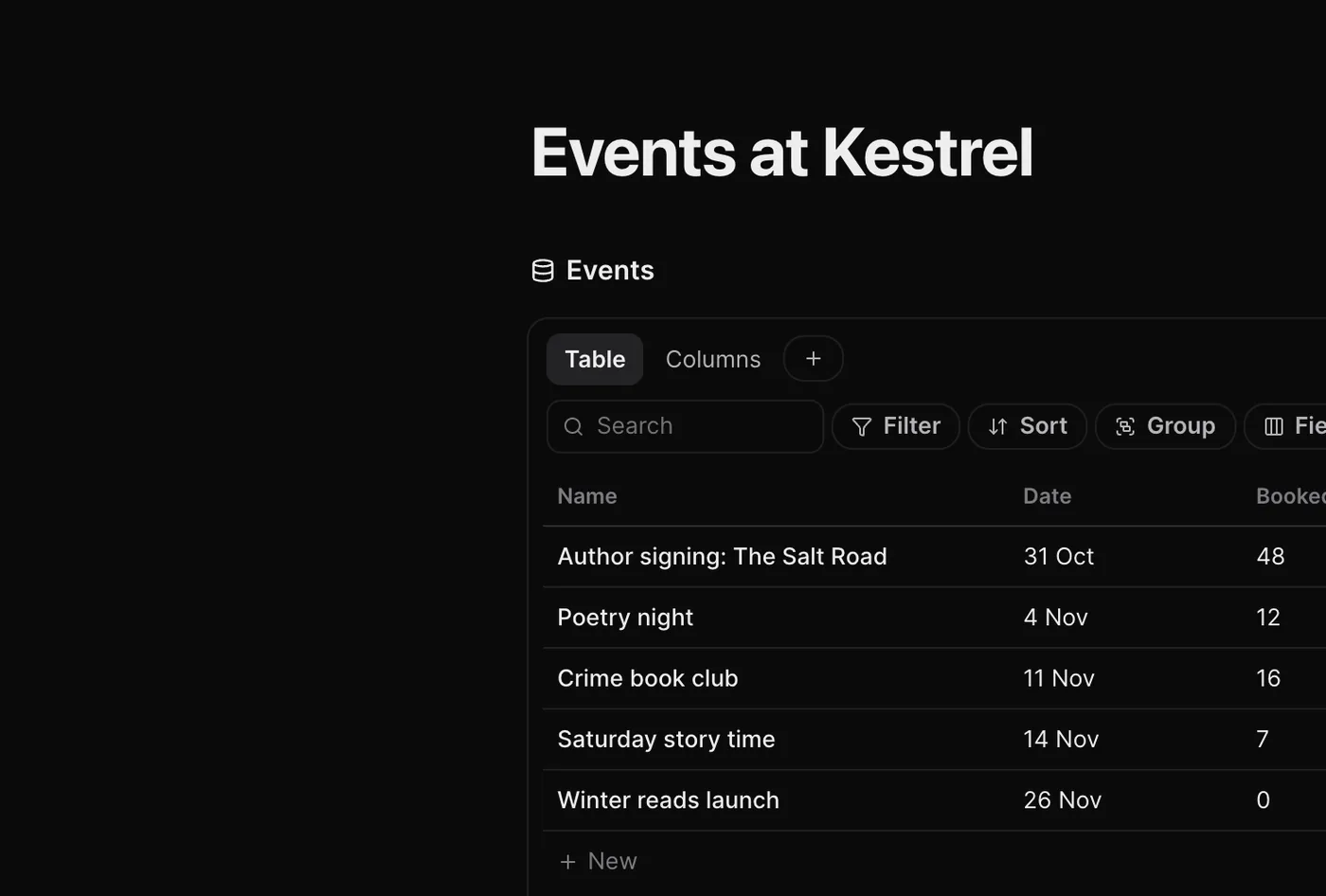
Everything in Orbit with fields is a database: Projects, Leads, People, Tasks and Events, plus any you make yourself. Make one with / Database in a page and give it a name, such as Invoices, Content calendar or Suppliers. Each row is a page of its own with properties.
Views
Add a view with the + beside the view tabs: Table, Columns, List, Calendar, Timeline or Gallery. Each view keeps its own Filter, Sort, Group and Fields settings. Calendar and timeline views place rows by a date field you pick. Double-click a view's tab to rename or delete it.
Fields
Click the New field button at the end of a table's header. Field types: Text, Number, Select, Multi-select, Person, Date, Checkbox, URL, Email, Phone, Files, Relation, Rollup and Formula. Every database also has Created and Last edited.
- Relation links rows to another database, for example invoices to People.
- Rollup totals across a relation: count, sum, average, smallest, largest, earliest, latest or % done.
- Formula does arithmetic over a row's fields, such as
{Budget} - {Spent}.
Click a field's header to rename it, sort by it, hide it in this view or delete it. Fill with an Orb asks your Moon to fill in every empty cell in that column, for example "the client's country from their website".
Bring pages in
Import Markdown or Notion, at the foot of the page list, takes Markdown files, a folder of them, or a Notion export (.zip), and keeps the page nesting. For a whole Notion workspace with its databases, see Import from ClickUp, Asana and more.
Write together
On a team, click Share at the top of a page and pick who edits it with you. Everyone on it edits together, live, and sees each other's cursors. Their Orbs can read it too. A page linked to a shared project can be shared with everyone on that project.
Where Docs are kept
Your pages are stored on your computer, as Markdown that your Orbs can read and edit. A shared page, with its live edits, is also stored on Orbit's server, encrypted at rest, so your teammates can see it.
Common questions
Can Orbs write and edit my docs?
Yes. Any Orb can make, read and edit pages. Orbit saves a version before an Orb edits a page you don't have open, so you can always go back.
Is a linked view a copy?
No. It shows the same records as everywhere else, with its own filters and layout in that page. Change a row there and it changes everywhere.
Related: The Board: projects, leads and people, Import from ClickUp, Asana and more, Teams and teammates.
Updated 24 October 2026 · Orbit 0.1.15